
AccessPilot by 007AJ
Protect your business from accessibility lawsuits, reach more customers and sell accessibility audits as a paid service.
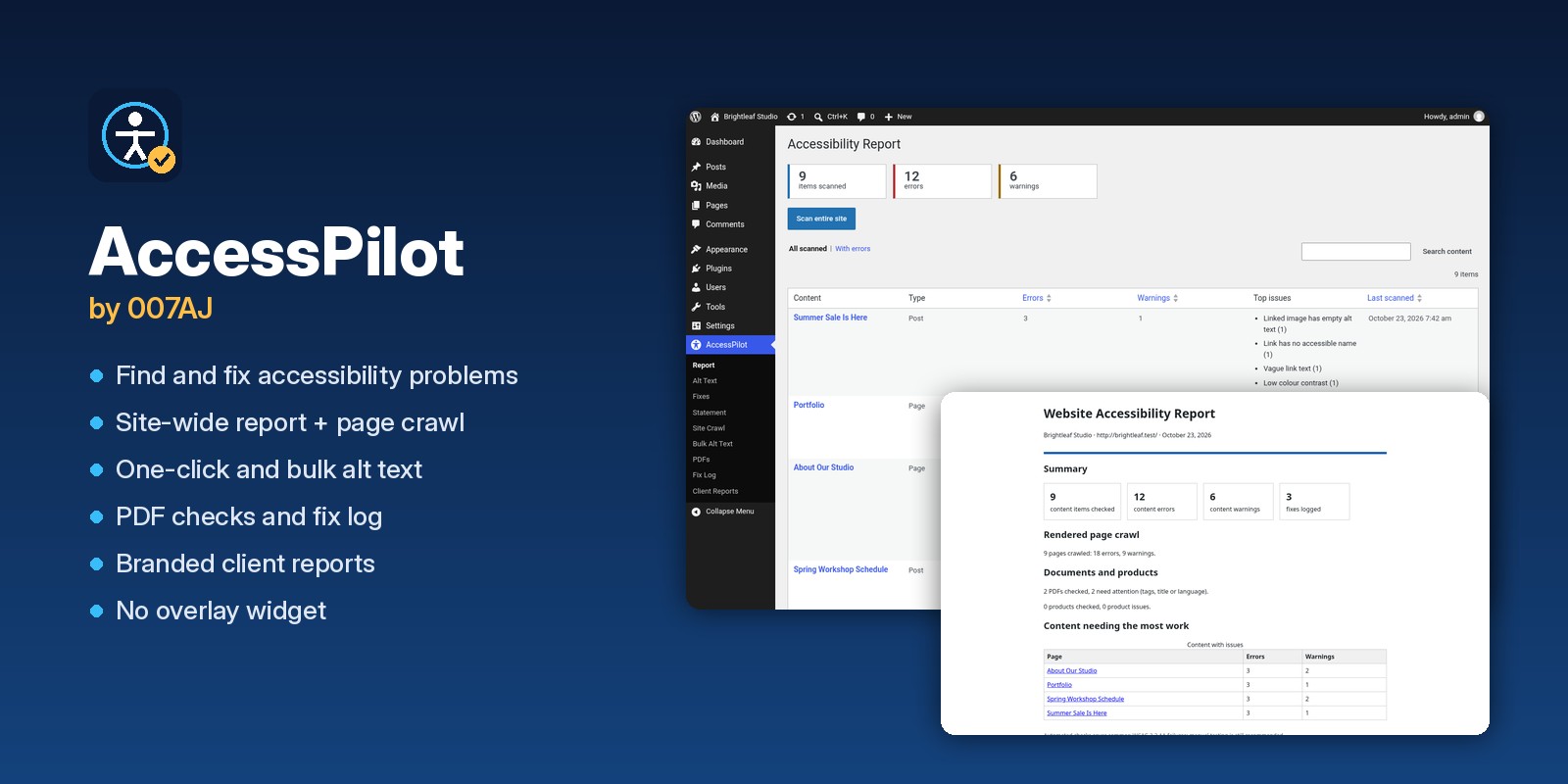
AccessPilot finds the accessibility problems on your WordPress site and helps you fix them at the source: missing alt text, low contrast, broken headings, unlabelled forms and more. Scan every page, crawl your full site on a schedule, check PDFs and products, and hand clients a branded report. No overlay widget, no monthly fees.
Special limited-time price · One-click install · Exclusive online support · Lifetime access to all future updates
💰 Ways to make money and save money
Accessibility is no longer optional. Here is how AccessPilot protects your income and opens new ways to earn:
Avoid costly accessibility lawsuits
Web accessibility demand letters and lawsuits hit small businesses every day. Finding and fixing the common failures first is far cheaper than a settlement.
Sell accessibility audits to clients
Agencies and freelancers can scan a client site, fix the problems and hand over a branded report with your logo and colours. Charge for the audit, then charge again for the fixes.
Monthly accessibility care plans
Scheduled site crawls and a full fix log make it easy to sell an ongoing monthly service that keeps client sites in shape.
Turn more visitors into customers
Millions of people use screen readers, keyboards and zoom. When they can read your pages and use your forms, they can become paying customers.
Win government, school and corporate work
Many contracts and tenders now ask for WCAG 2.2 AA. A published accessibility statement and a clean report help you qualify.
Better search visibility
Alt text, clear headings and descriptive links help search engines understand your pages too, bringing in more traffic without paying for ads.
No monthly overlay fees
Skip the costly overlay widgets that charge every month and do not repair the real problems. AccessPilot fixes your content at the source.
Save hours of manual checking
Scan the whole site in the background, then fix alt text in bulk instead of opening every page and image one by one.
Everything you need to find and fix accessibility problems
Missing alt text, colour contrast, skipped and empty headings, links and buttons with no name, form fields with no label and vague link text.
Scan the post you are writing, unsaved changes included, and fix image alt text without leaving the editor.
Every page and post with error and warning counts, sortable and searchable, re-scanned automatically on save.
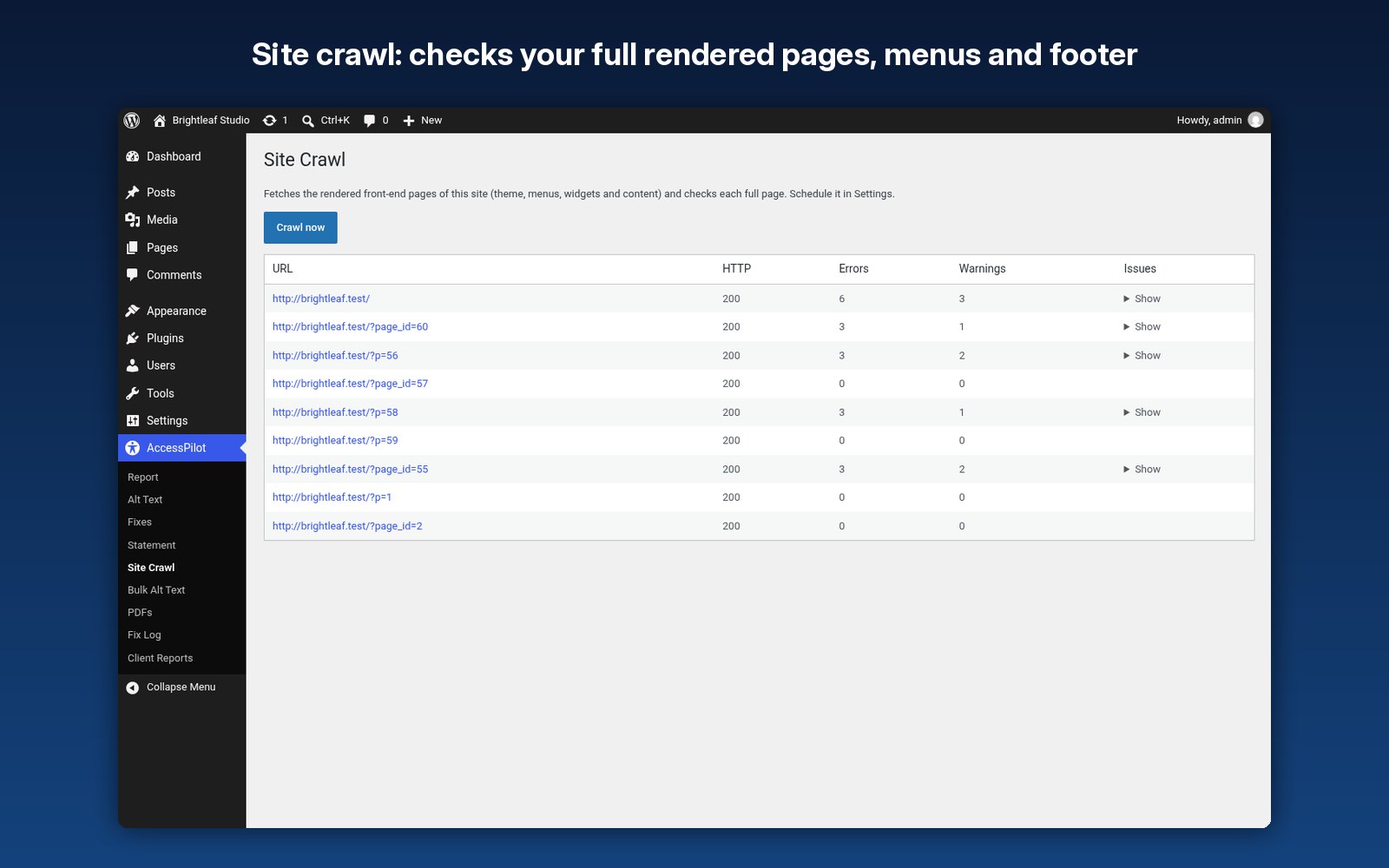
Checks your full rendered pages, including theme header, menus, footer, page language and title, daily or weekly.
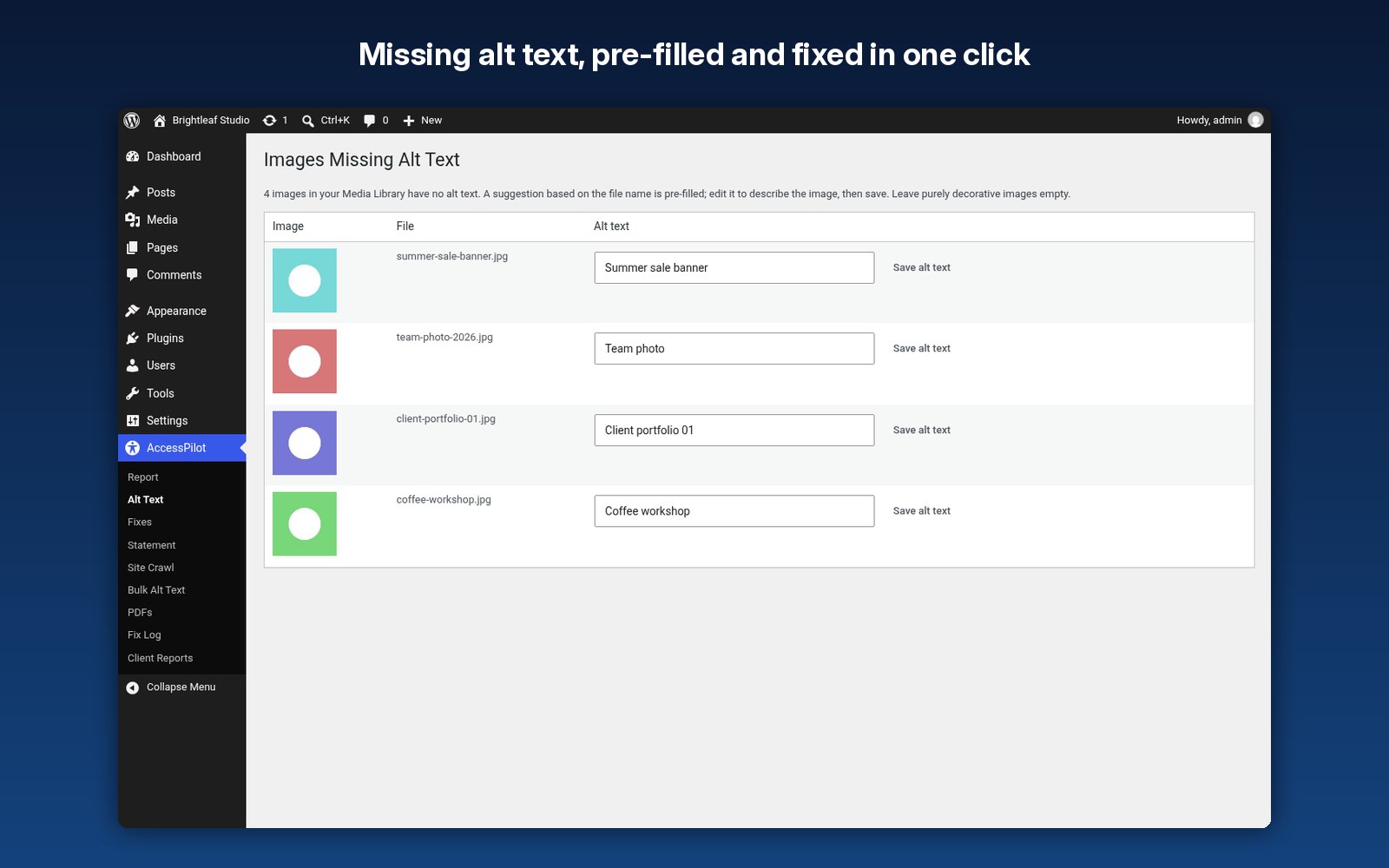
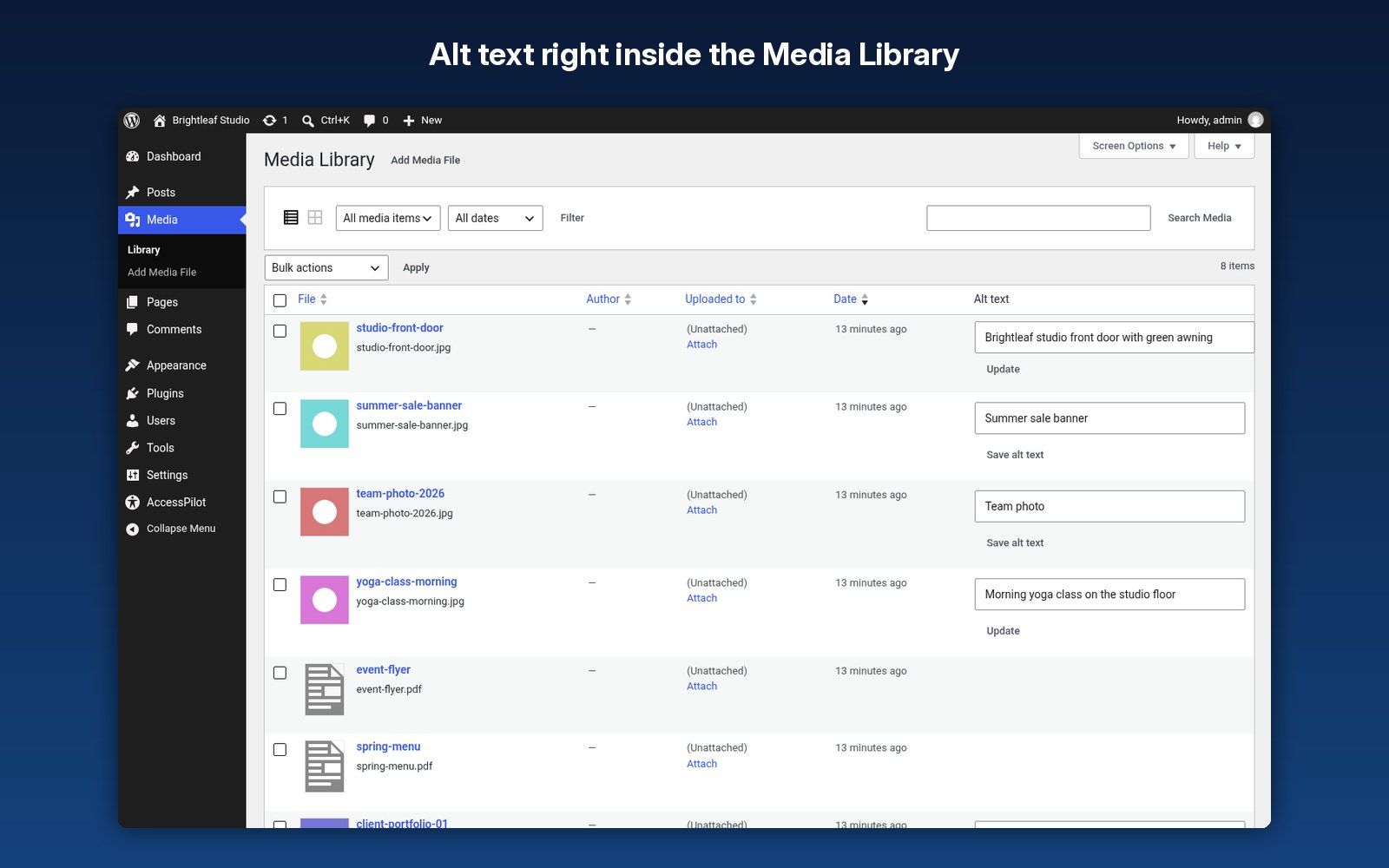
Fix alt text from the report, the Alt Text screen or right inside the Media Library.
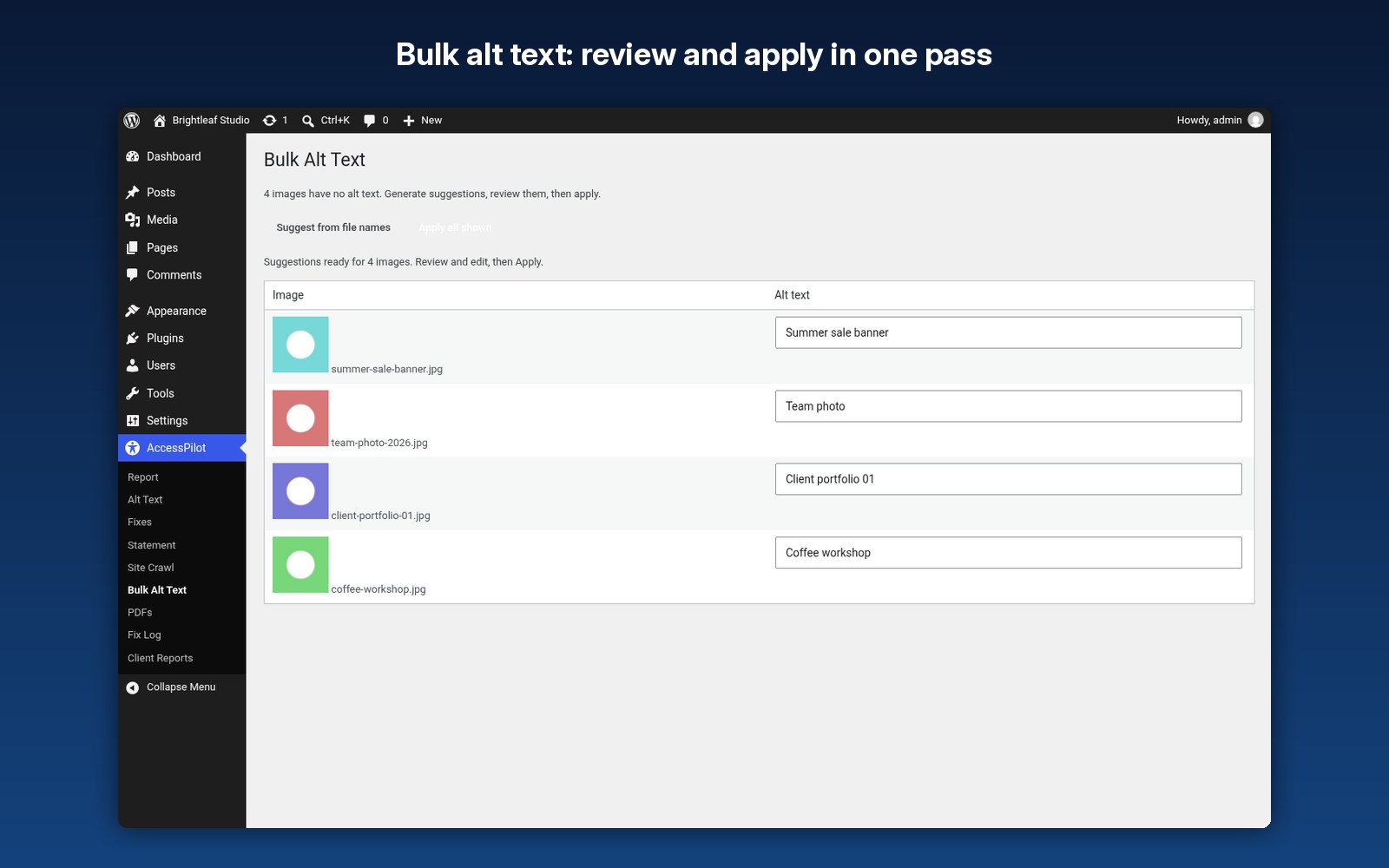
Suggestions from file names for up to 50 images at a time. Review, edit and apply them all at once.
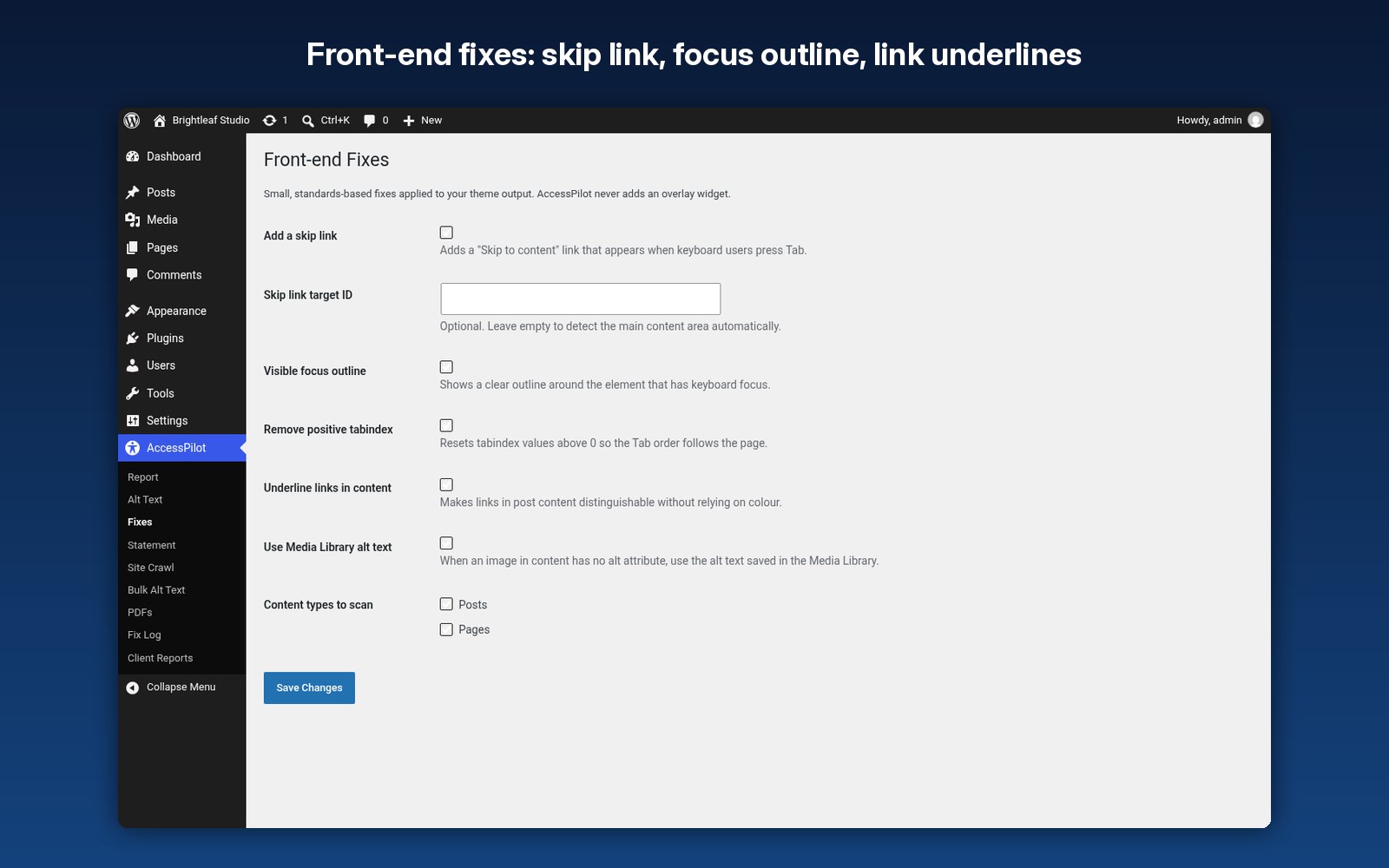
Skip link, visible focus outline, positive tabindex removal, underlined content links and missing alt filled from the Media Library.
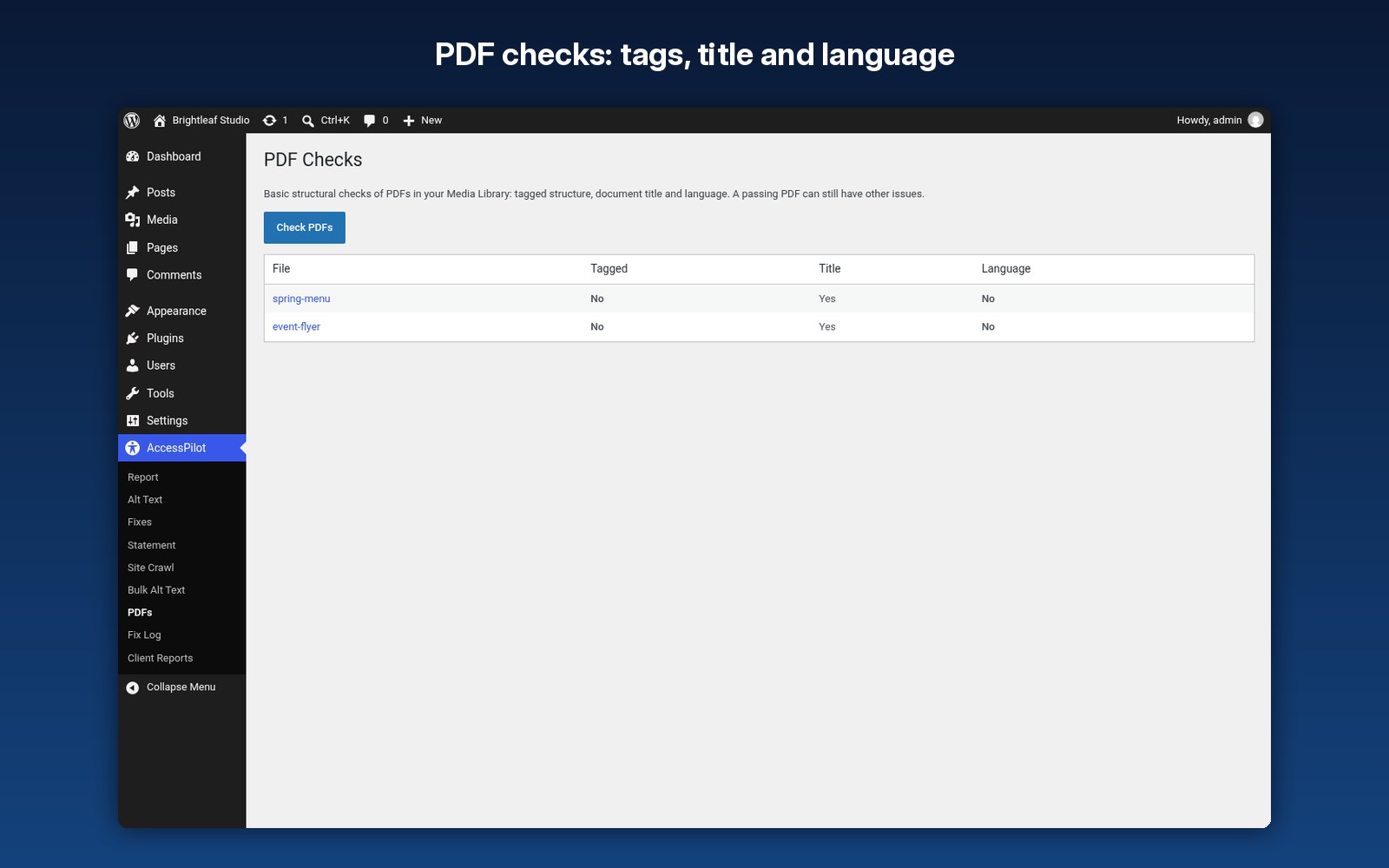
Flags PDFs missing tags, a document title or a document language.
Missing product images, image alt text, empty descriptions and content issues in product descriptions.
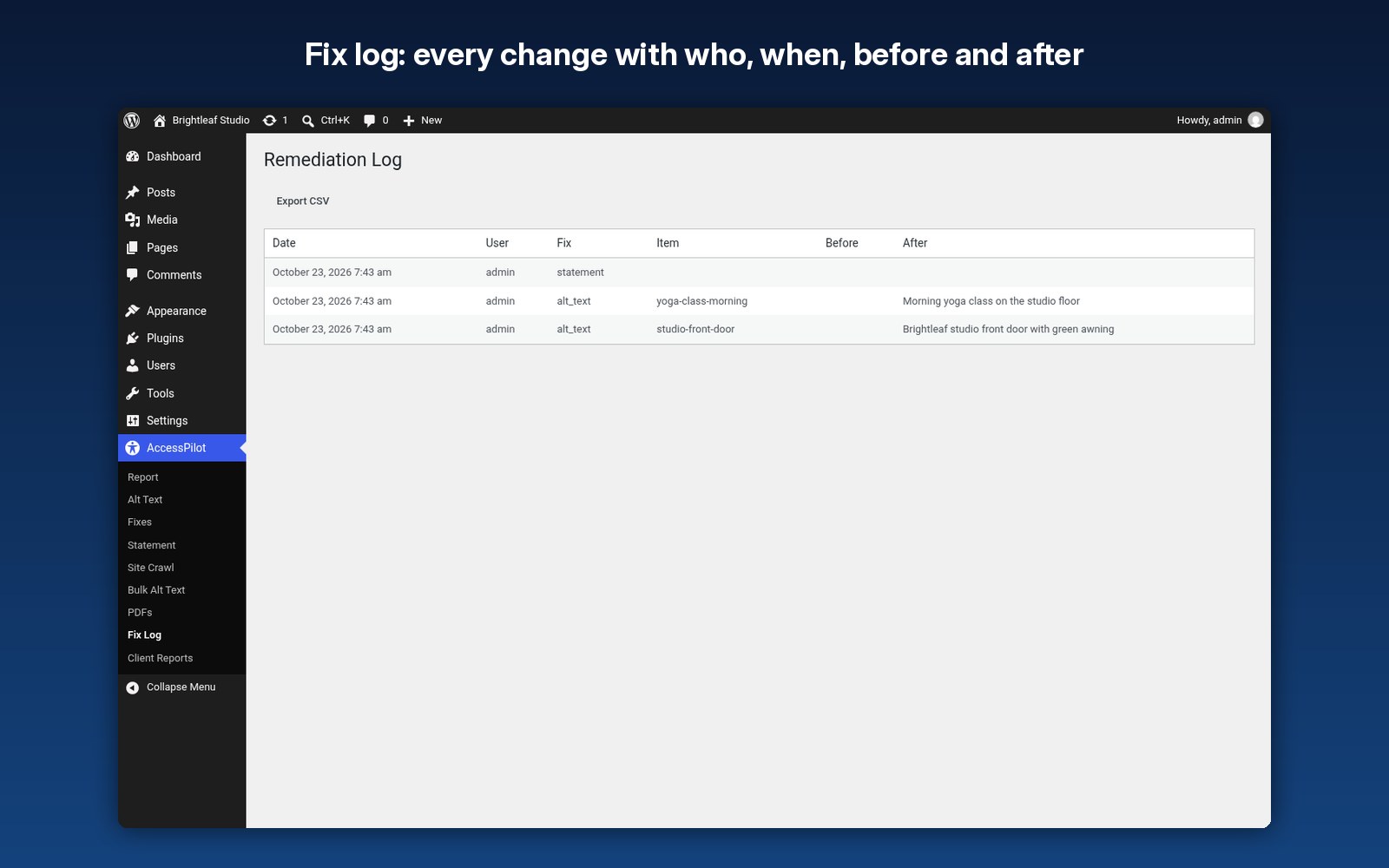
Every fix recorded with user, time and before and after values. Export it to CSV.
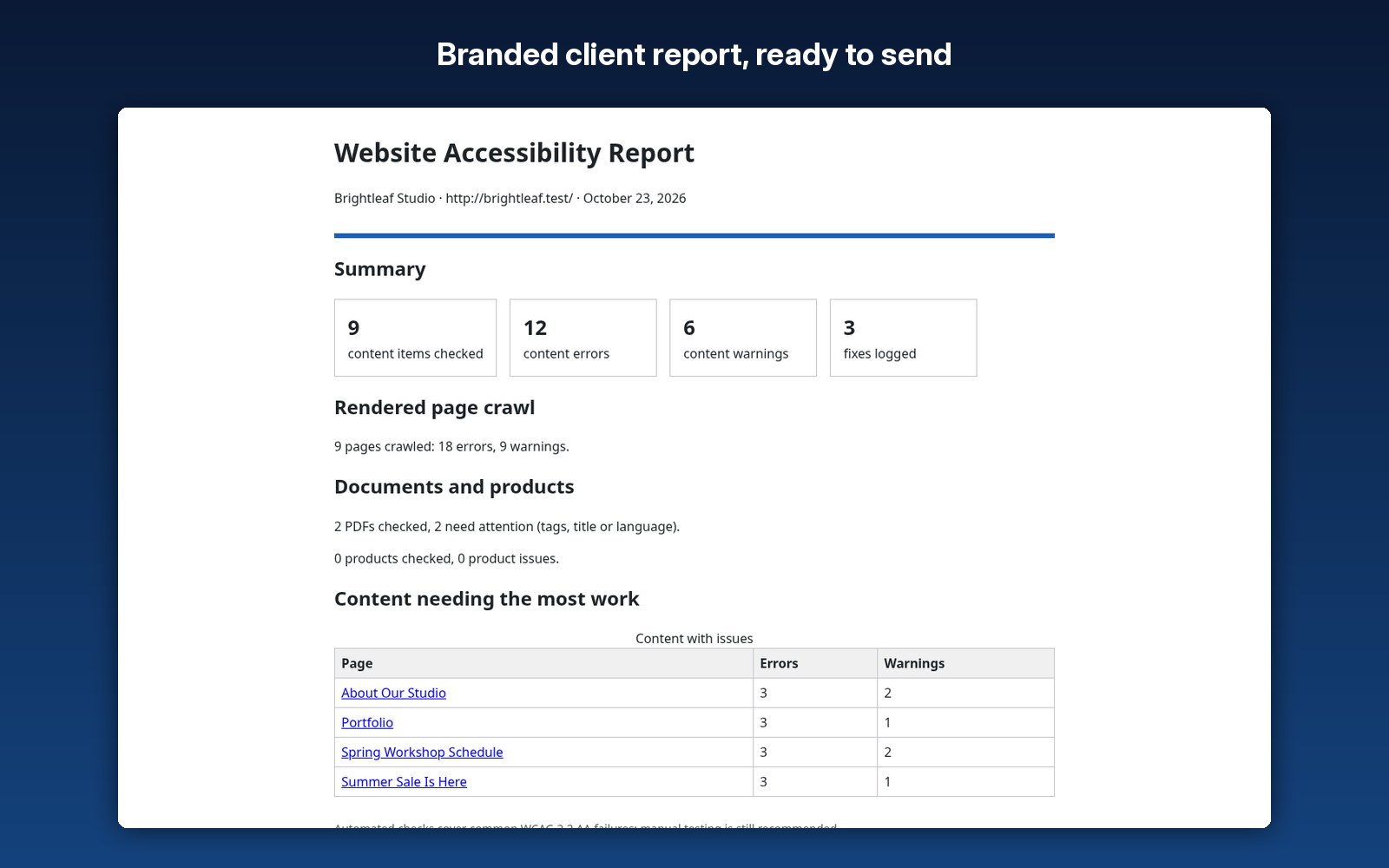
Download HTML or PDF reports with your company name, logo, brand colour and footer.
Fill in a short form and publish a statement page in one click.
No toolbar injected into your site. Your real markup gets fixed.
Checks run on your own site and your data stays in your own database.
Screenshots
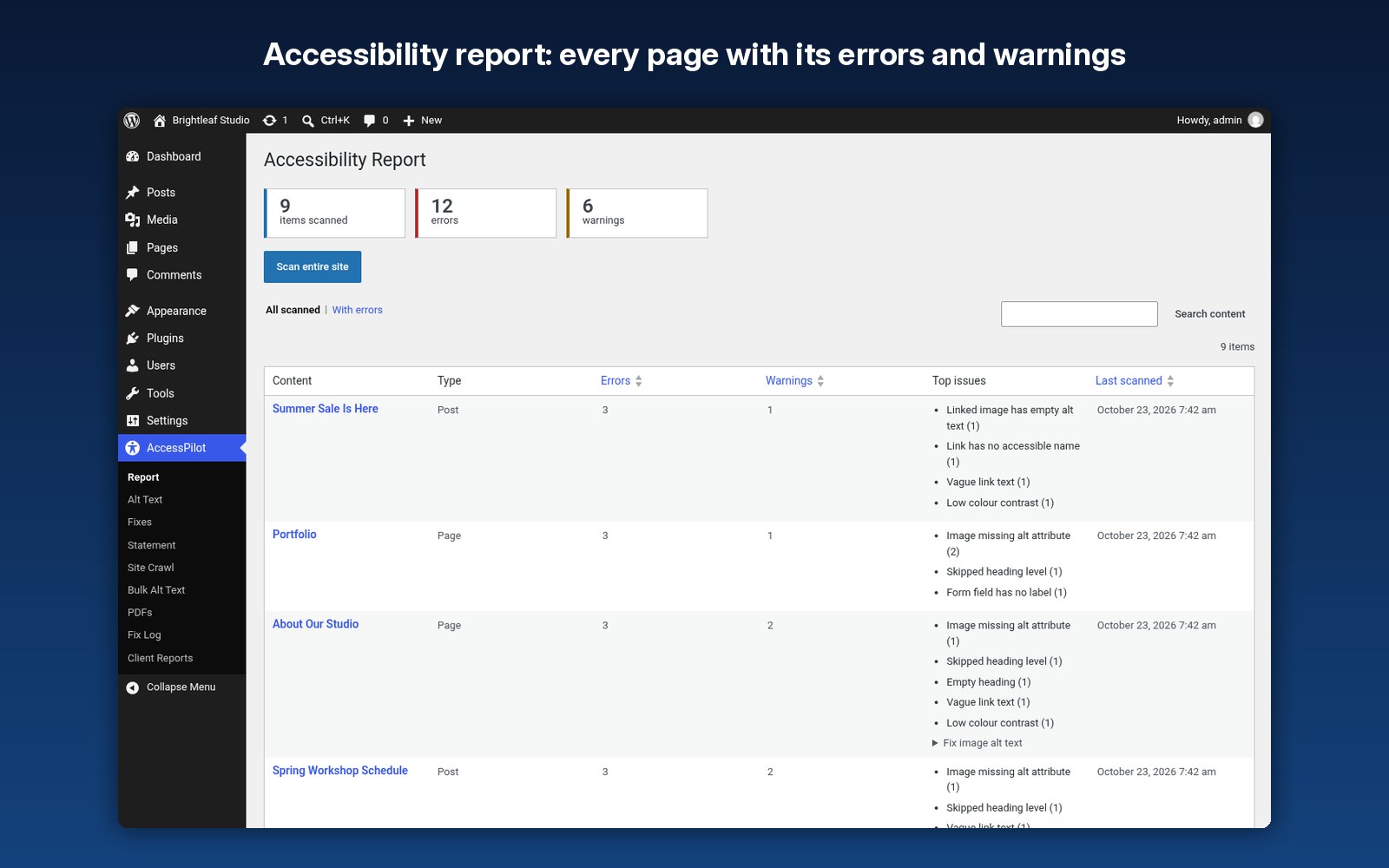
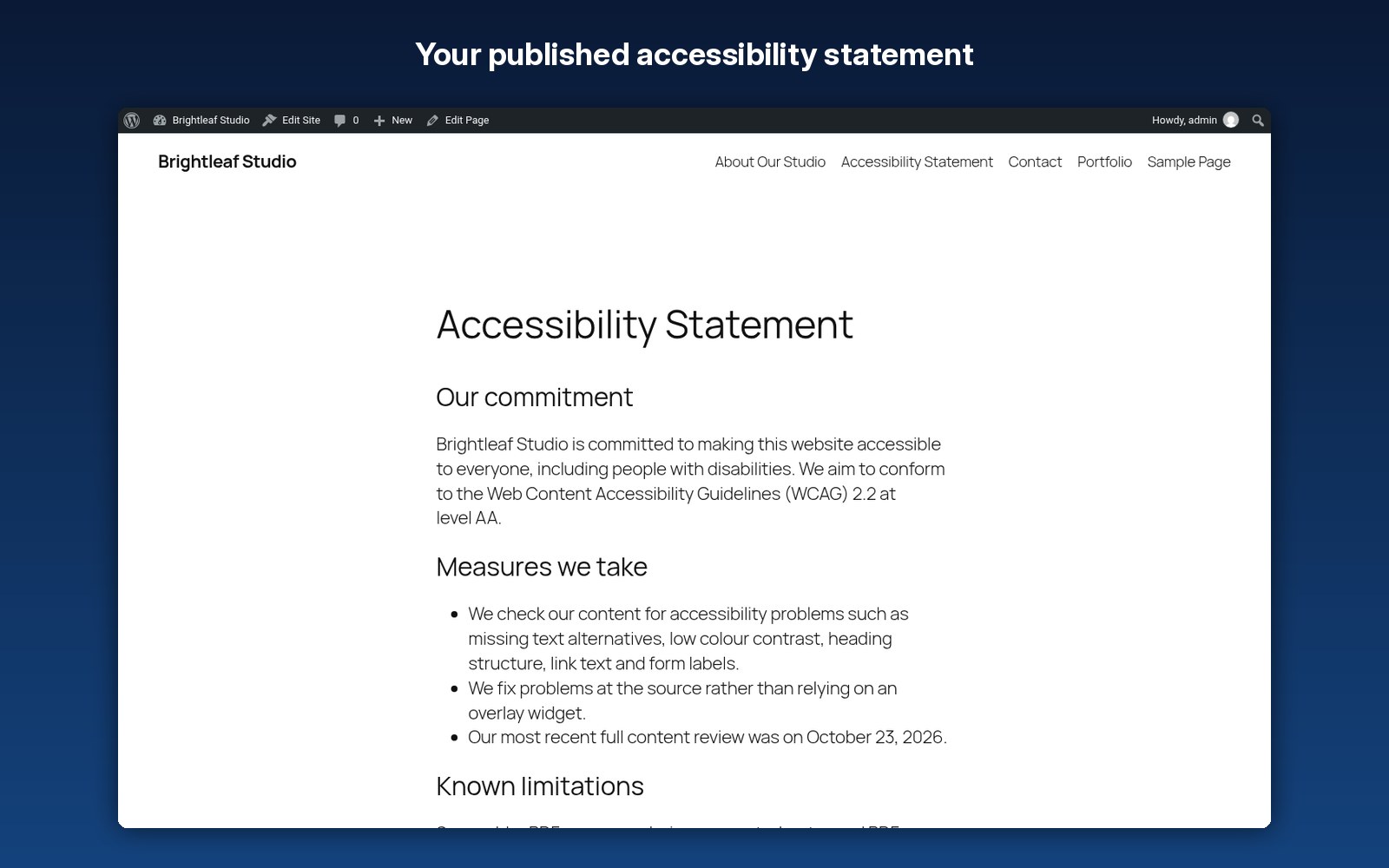
Screenshots from a test site with fictional content.
FAQ
Common WCAG 2.2 AA failures: missing alt text, low colour contrast, heading structure, links and buttons with no name, form labels, vague link text, full rendered pages, PDFs and WooCommerce products.
No, AccessPilot is all you need. Everything is included in the package you receive.
Fully licensed version — use on your own sites.
No. Overlays do not repair the real markup. AccessPilot helps you fix your content and theme output directly.
No automated tool can promise that. AccessPilot catches the common, machine-detectable problems and helps you fix them fast. Pair it with a quick keyboard and screen reader check.
Yes. Download HTML or PDF reports branded with your own company name, logo and colours.
WordPress 6.2 or newer and PHP 7.4 or newer, which almost every host provides.
Yes. You get exclusive online support at 007aj.com and lifetime access to all future updates.
Who AccessPilot is for
AccessPilot is a WordPress accessibility checker and fixer for people who want to find and repair real problems in their pages, not hide them behind a toolbar. It suits:
- Small business owners who have heard about accessibility demand letters and want to fix the common, machine-detectable failures on their own site without a monthly overlay fee.
- Freelancers and agencies who want to sell accessibility audits and monthly care plans, with branded HTML or PDF reports and a fix log to prove the work.
- WooCommerce shops that need product images, alt text and descriptions checked as the catalogue grows.
- Schools, non-profits and public-sector suppliers asked to meet WCAG 2.2 AA and publish an accessibility statement.
- Content teams who want writers to catch missing alt text and skipped headings in the block editor before they publish.
Not a fit: anyone looking for a one-line widget that claims to make a site compliant. No automated tool can do that, and AccessPilot does not pretend to.
What is in the package
Your download includes two plugins: AccessPilot (the core checker, version 1.0.0) and AccessPilot Pro (version 1.0.0), which adds the professional tools on top. Install both and activate the core plugin first.
- Core checks: missing alt text, linked images whose empty alt leaves the link with no name, WCAG AA colour contrast from inline colours, block colour classes and your theme.json palette, skipped and empty headings, empty links and buttons, form fields without labels, and vague link text such as “click here”.
- Block editor sidebar: scans the post you are editing, unsaved changes included, and fixes image alt text on the spot.
- Site-wide report: background batch scanning (10 items at a time through WP-Cron, so big sites stay responsive), a sortable list and re-scan on save.
- Pro scheduled crawl: checks your fully rendered pages daily or weekly, including the theme header, menus, footer, page language and page title, using requests to your own site only.
- Pro bulk alt text: suggestions from file names for up to 50 images at a time, or from your own OpenAI-compatible AI endpoint and API key if you choose to connect one.
- Pro PDF checks: flags PDFs that are missing tags, a document title or a document language.
- Pro WooCommerce checks: product image alt text, missing images and empty descriptions.
- Pro fix log and reports: every fix recorded with user, time and before and after values, CSV export, and white-label client reports.
- Multisite: Pro supports network activation, network settings and a per-site overview.
How it works in four steps
- Upload and activate AccessPilot, then AccessPilot Pro.
- Open AccessPilot → Report and click Scan entire site. Sort by issue type.
- Fix missing alt text first from the report or the Media Library, then check your palette for contrast, then heading order and form labels.
- Switch on the front-end fixes you want (skip link, focus outline, underlined links), generate your accessibility statement and schedule a weekly crawl.
New to accessibility plugins? Read our honest comparison of the best WordPress accessibility plugins for 2026, or start with the free AccessPilot checker.
Requirements
- WordPress 6.2 or newer (tested up to 7.1)
- PHP 7.4 or newer
- WooCommerce is optional and only needed for product checks
- No external service is required. The core plugin makes no outside requests.
More questions
Does AccessPilot send my content anywhere?
No. Scanning runs on your server. The only optional outside connection is the AI alt text feature in Pro, and only if you add your own endpoint and key.
Which colours can it check?
Text and background colours set inline, through block colour classes or through your theme palette. Colours that come only from external stylesheets are not evaluated, so check those with a browser tool.
Will it replace a manual audit?
No. It finds the common automated failures fast. Keep doing a short keyboard and screen reader check on key pages such as your home page, contact form and checkout.
Can I hand clients a branded report?
Yes. Pro reports can carry your company name, logo, brand colour and footer, in HTML or PDF, and the fix log shows exactly what changed and when.
Changelog
1.0.0 (AccessPilot and AccessPilot Pro): initial release with content checks, block editor sidebar, site-wide report, one-click and bulk alt text, front-end fixes, accessibility statement generator, scheduled crawls, PDF and WooCommerce checks, fix log with CSV export, branded reports and multisite support.
Protect your income. Open your doors to everyone.
Fix the problems that lead to lawsuits, welcome every visitor as a customer and turn accessibility audits into a new paid service for your clients. Install it in one click and run your first full-site scan today.
Special limited-time price · Exclusive online support at 007aj.com · Lifetime access to all future updates