
The add-on that makes every WordPress email arrive, and tells you when one doesn’t
Add 9 API mailers, a searchable email log with resend, an automatic backup connection, smart routing, instant failure alerts and a weekly summary. This is an add-on for the free MailBolt SMTP plugin, which must be installed first.
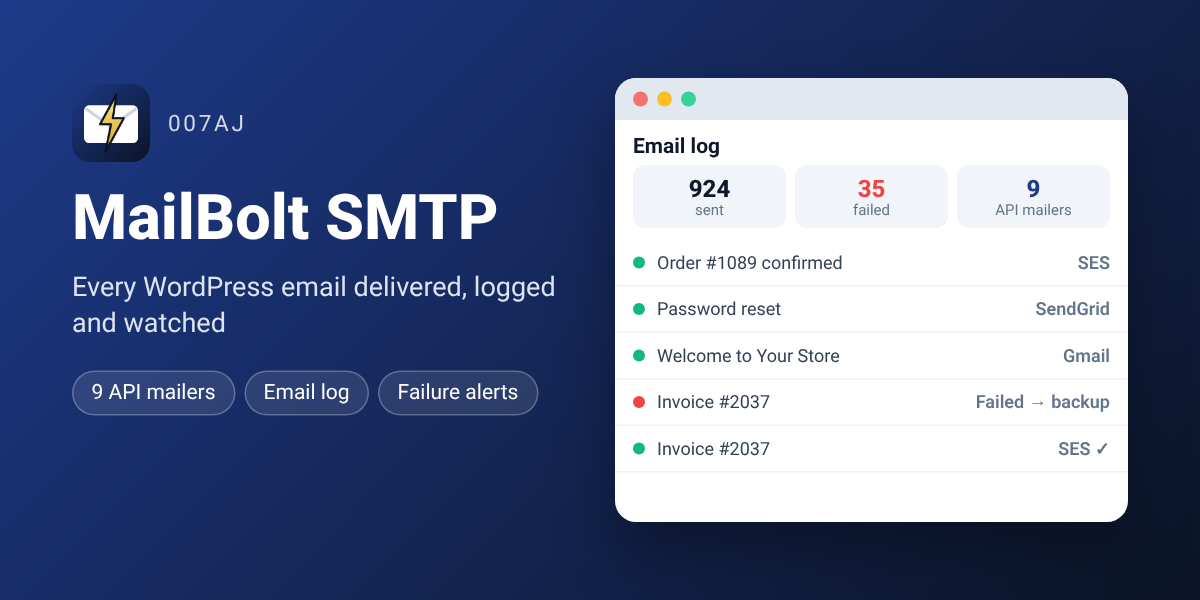
Why lost email costs you money
Missed order confirmations, password resets and form messages mean lost sales and support tickets. MailBolt SMTP makes sure they arrive.
Orders that get confirmed
Route order emails through a dedicated sender such as Amazon SES so customers get receipts every time.
No silent failures
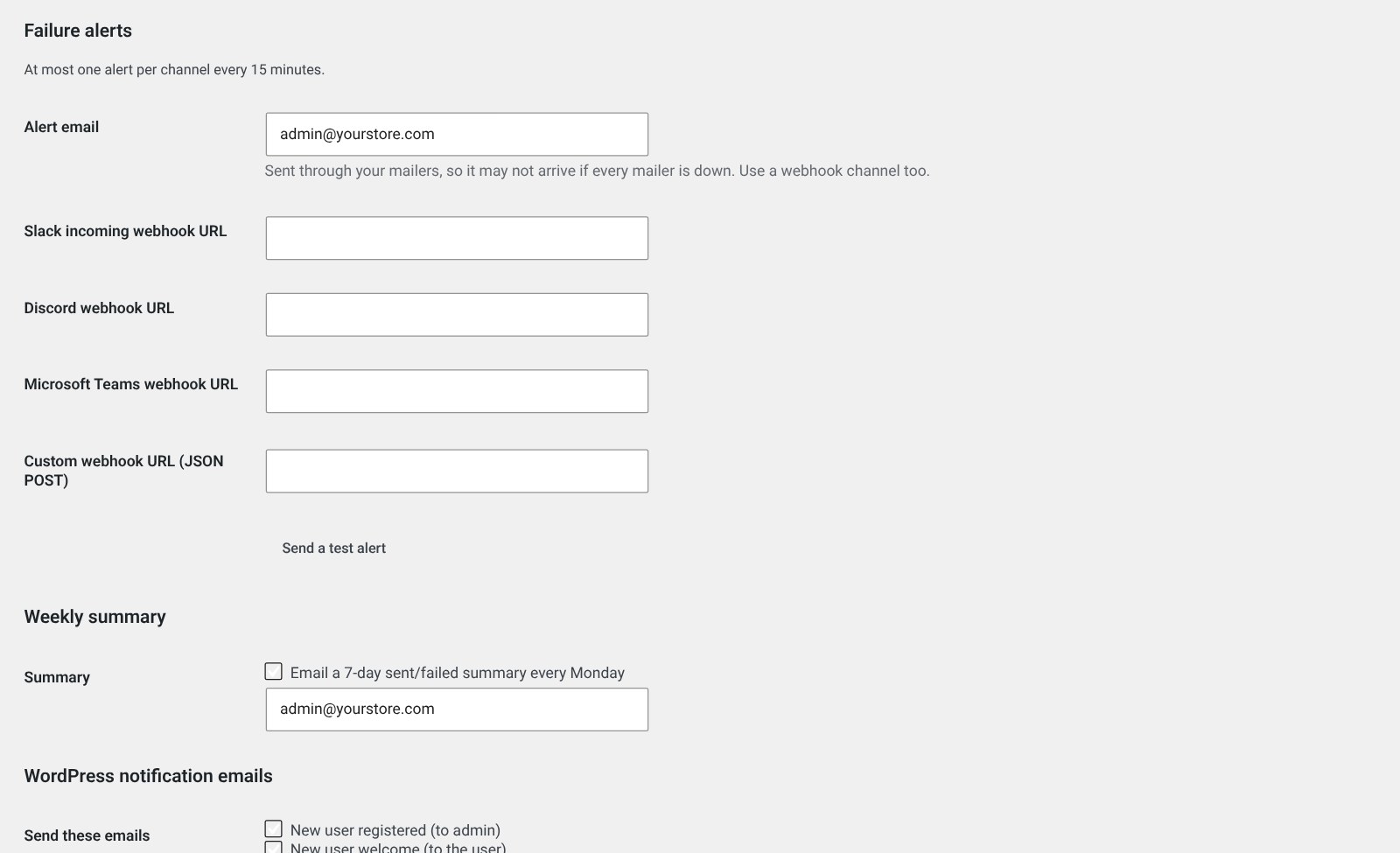
If a send fails you hear about it within minutes on email, Slack, Discord or Teams.
A safety net
The backup connection retries a failed email through a second mailer automatically.
Proof for clients
Search the log, show what was sent and when, and resend in one click.
Less inbox noise
Switch off WordPress notification emails you don’t need.
See it in your dashboard
Everything the add-on adds
It plugs straight into the free MailBolt SMTP plugin’s settings.
9 API mailers
- ✓Gmail / Google Workspace and Microsoft 365 / Outlook sign-in
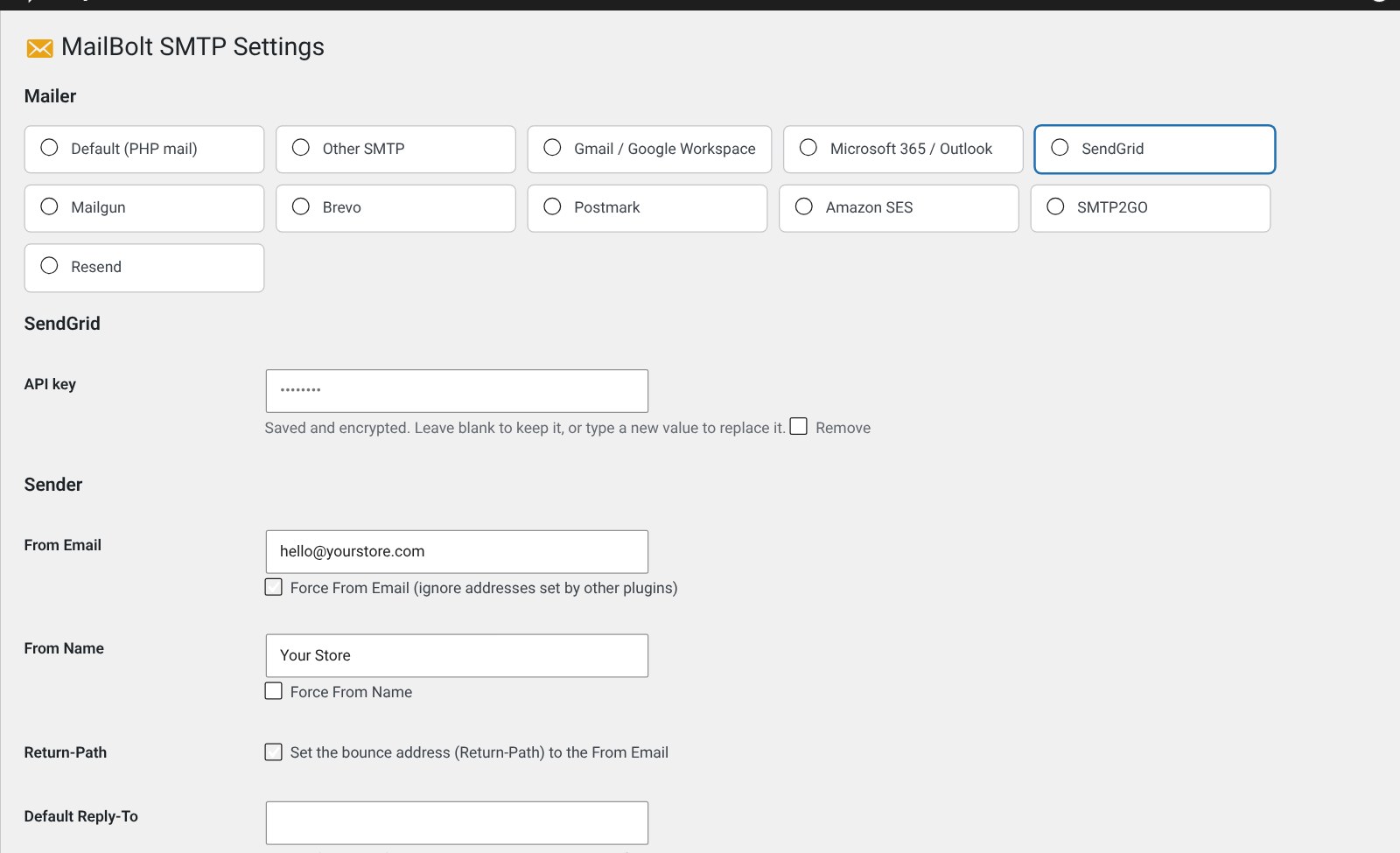
- ✓SendGrid, Mailgun (US and EU), Brevo and Postmark
- ✓Amazon SES, SMTP2GO and Resend
- ✓Attachments, Cc, Bcc, Reply-To and HTML supported
Email log
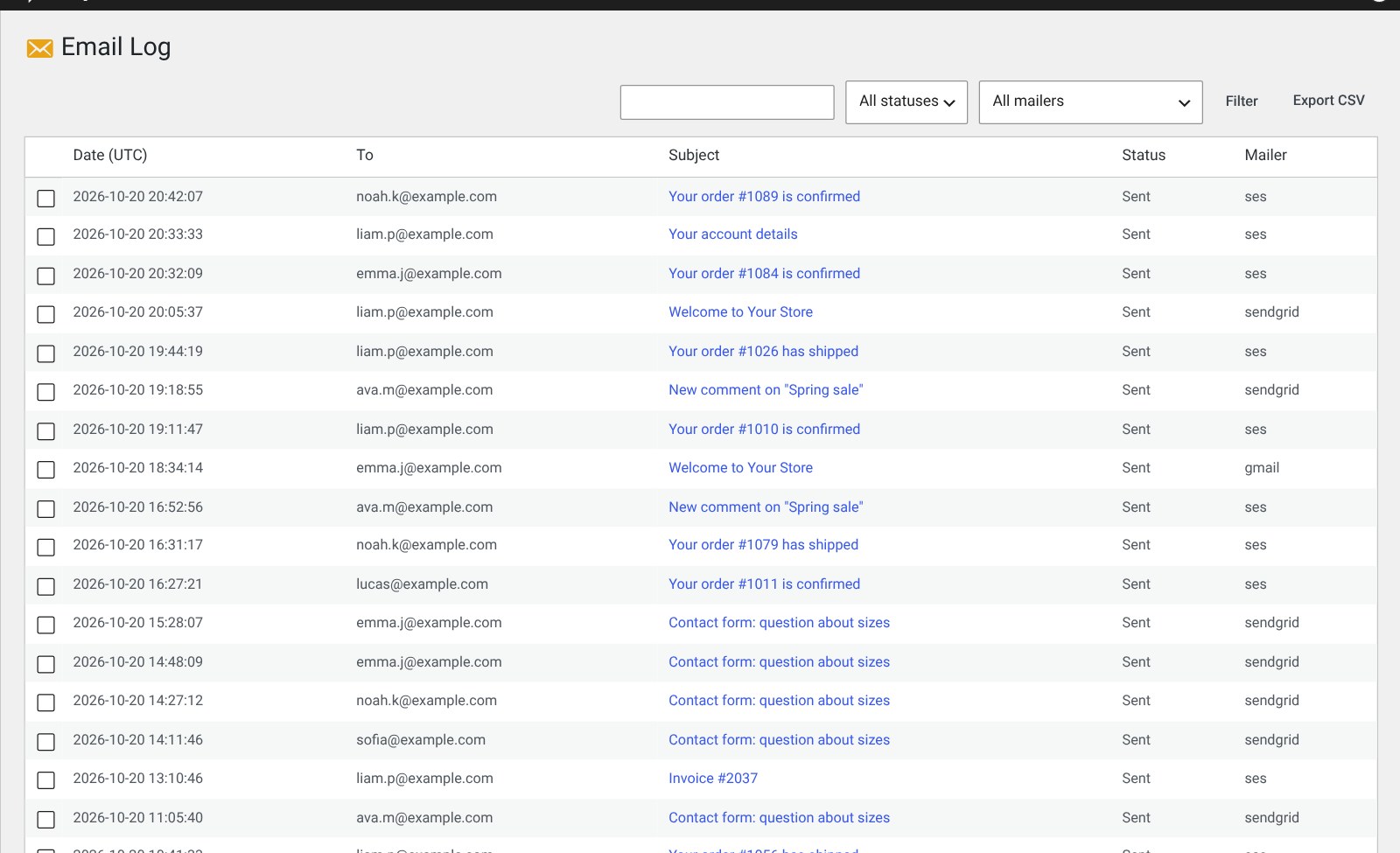
- ✓Date, recipients, subject, status, mailer and message ID
- ✓Search and filter by status or mailer
- ✓View details and body, resend one or many
- ✓CSV export and automatic clean-up after a set number of days
Backup & routing
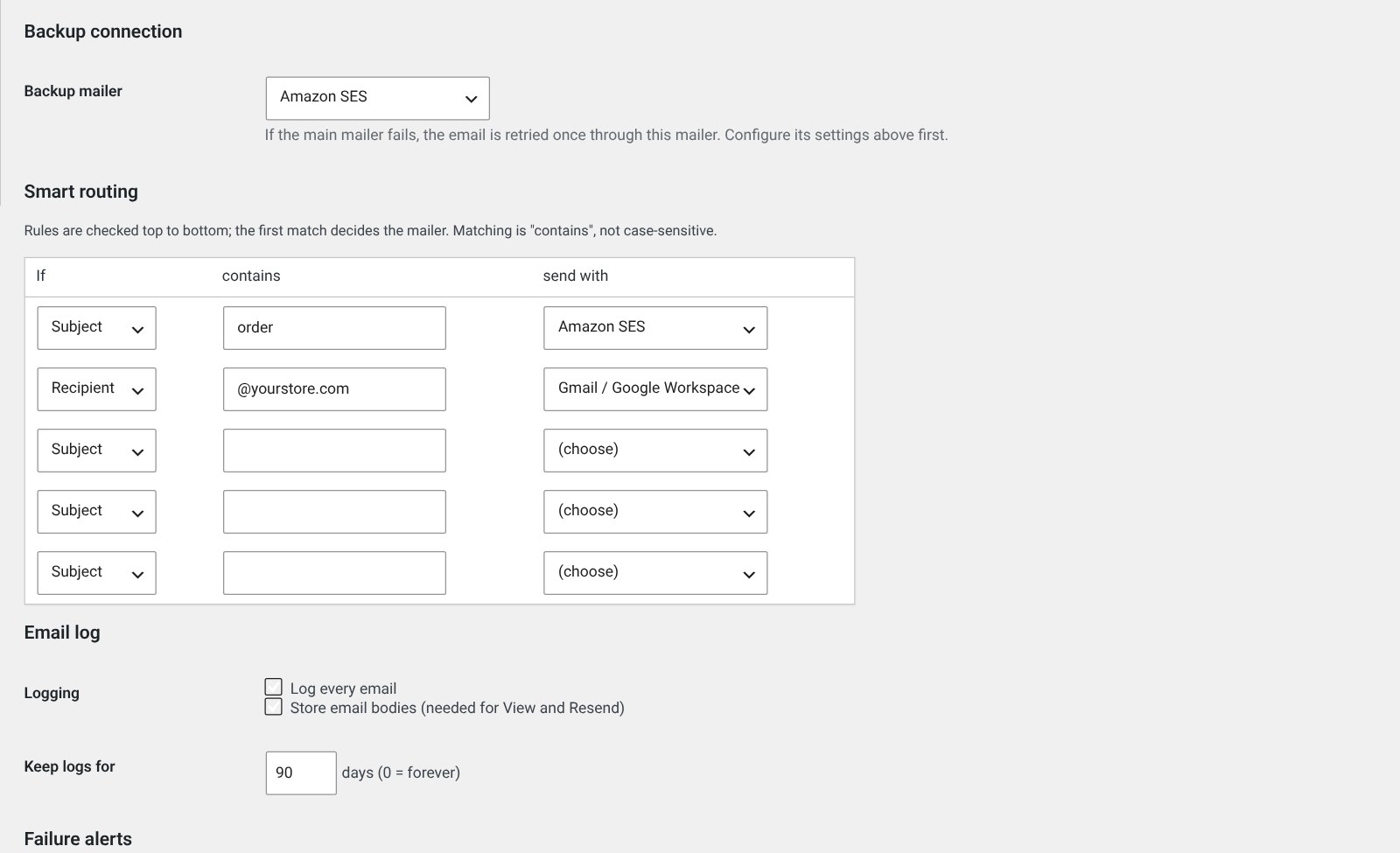
- ✓Backup connection retries a failed email through a second mailer
- ✓Both attempts appear in the log
- ✓Up to 5 routing rules by subject or recipient, e.g. order emails → Amazon SES
Failure alerts
- ✓Email, Slack, Discord, Microsoft Teams or any JSON webhook
- ✓At most one alert per channel every 15 minutes
- ✓Send-a-test-alert button
Reports & controls
- ✓Weekly sent/failed summary every Monday
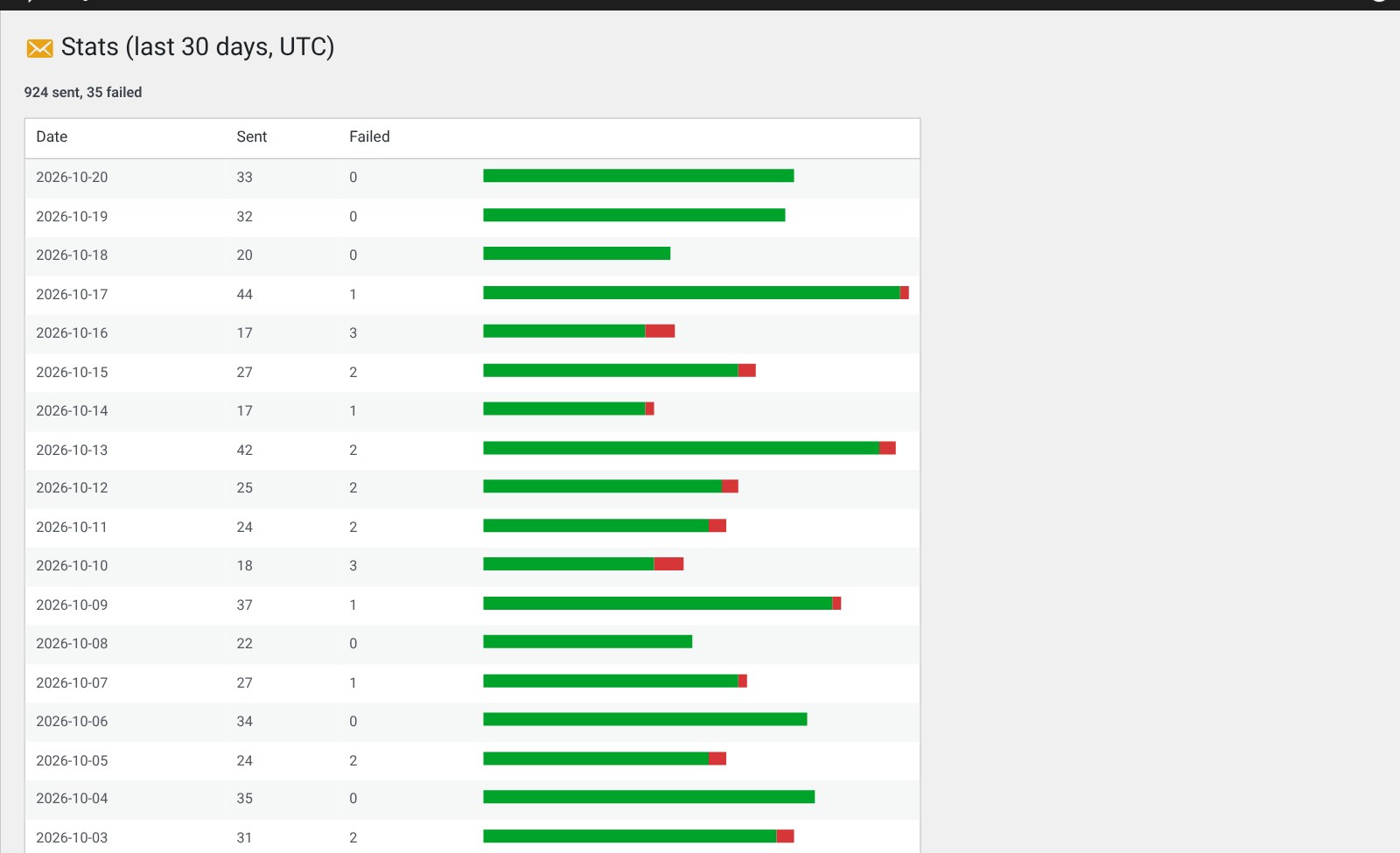
- ✓30-day stats page
- ✓Switch WordPress notification emails on or off individually
Secure & private
- ✓Keys and tokens encrypted, or set in wp-config.php
- ✓Administrators only, every action nonce-protected
- ✓Connects only to the services you choose, no tracking
- ✓Full how-to guide in your dashboard
How it works
Install the free plugin
Install MailBolt SMTP from the WordPress plugin directory.
Add the add-on
Upload the add-on zip under Plugins → Add New → Upload Plugin.
Pick a mailer
Choose your mailer under MailBolt → Settings and save.
Send a test
Send a test email and watch it appear in the log.
Requirements
- The free MailBolt SMTP plugin, installed first (required)
- An up-to-date WordPress install
- Up-to-date PHP on your hosting
- An account with the email service you want to use
Frequently asked questions
What licence do I get?
Fully licensed version — use on your own sites.
Do I need the free MailBolt SMTP plugin?
Yes. This is an add-on, so the free MailBolt SMTP plugin must be installed. The add-on then adds its features to the same MailBolt menu.
Which mailers are included?
Gmail / Google Workspace, Microsoft 365 / Outlook, SendGrid, Mailgun, Brevo, Postmark, Amazon SES, SMTP2GO and Resend, plus the free plugin’s SMTP options.
What happens if my mailer goes down?
Set a backup connection and failed emails are retried once through it. Failure alerts tell you straight away.
Does it send my data anywhere?
No. It connects only to the services you set up and has no tracking.
Do I get updates?
Yes, lifetime access to all future updates.
Every email, delivered and accounted for.
The add-on for the free MailBolt SMTP plugin: API mailers, email log, backup, routing, alerts and stats.