

Mailchimp-Style Email List Builder and Newsletter System for WordPress
Run your own email marketing service. Grow your list, sell to it and keep every subscriber on your own site.
Signup popups, slide-ins and inline forms, A/B headline tests, stats, free downloads with expiring links, double opt-in, tags and newsletters sent straight from WordPress, with optional Mailchimp and MailerLite sync. Every subscriber is a future sale, and there is no monthly fee or per-subscriber charge. One payment, no subscription.
Special limited-time price · One-click install · Exclusive online support · Lifetime access to all future updates
💰 Ways to make money and save money
Your email list is the one marketing channel you own. Here is how to turn it into income and keep more of it:
Grow a list you own and sell to it
Every visitor who leaves without joining is a lost sale. Popups, slide-ins and inline forms turn traffic into subscribers you can email about new products, offers and launches again and again.
Sell more with lead magnets
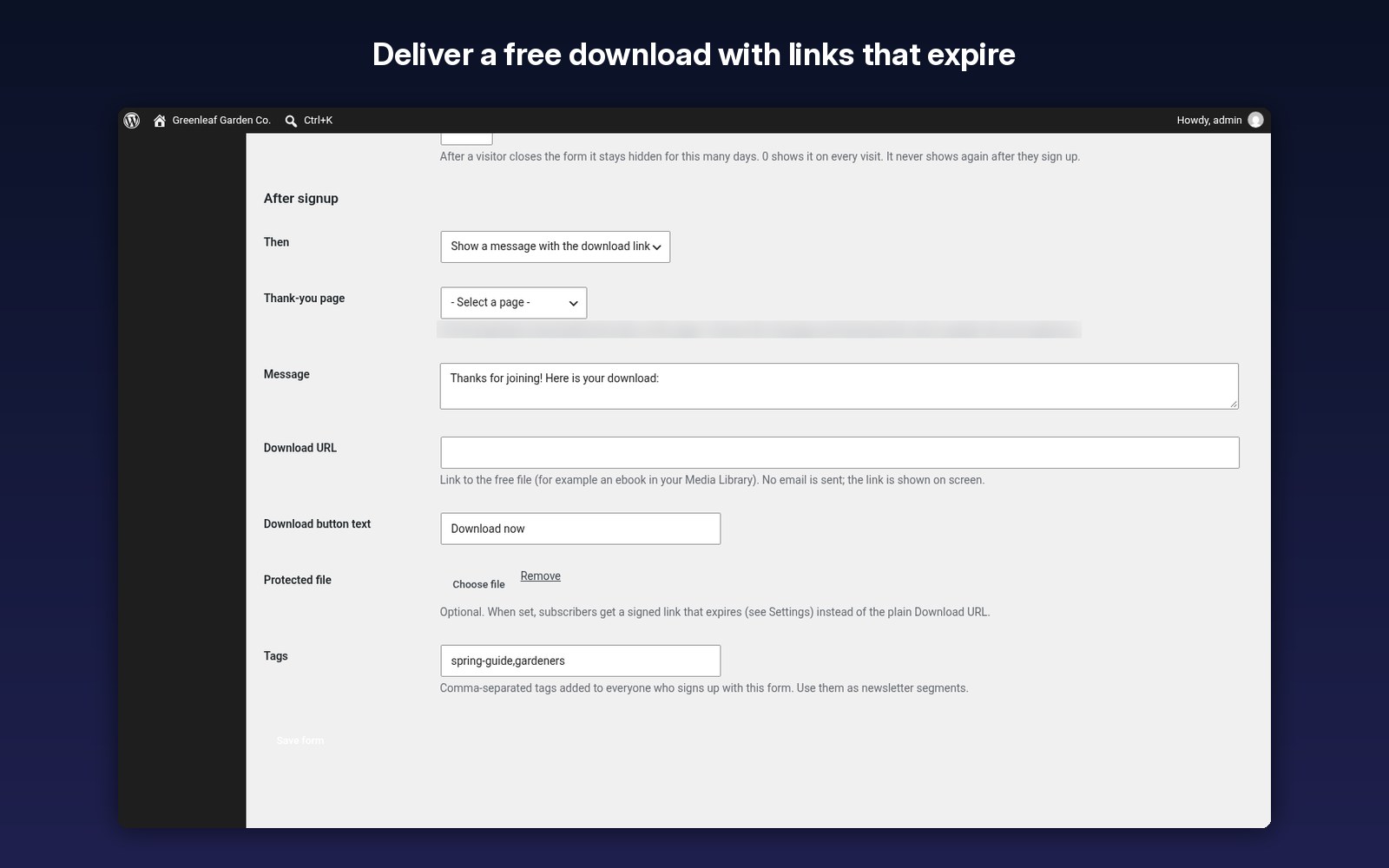
Give away an ebook, checklist or coupon in exchange for an email. Download links expire after 48 hours by default, so your files are not passed around for free.
Run a paid or sponsored newsletter
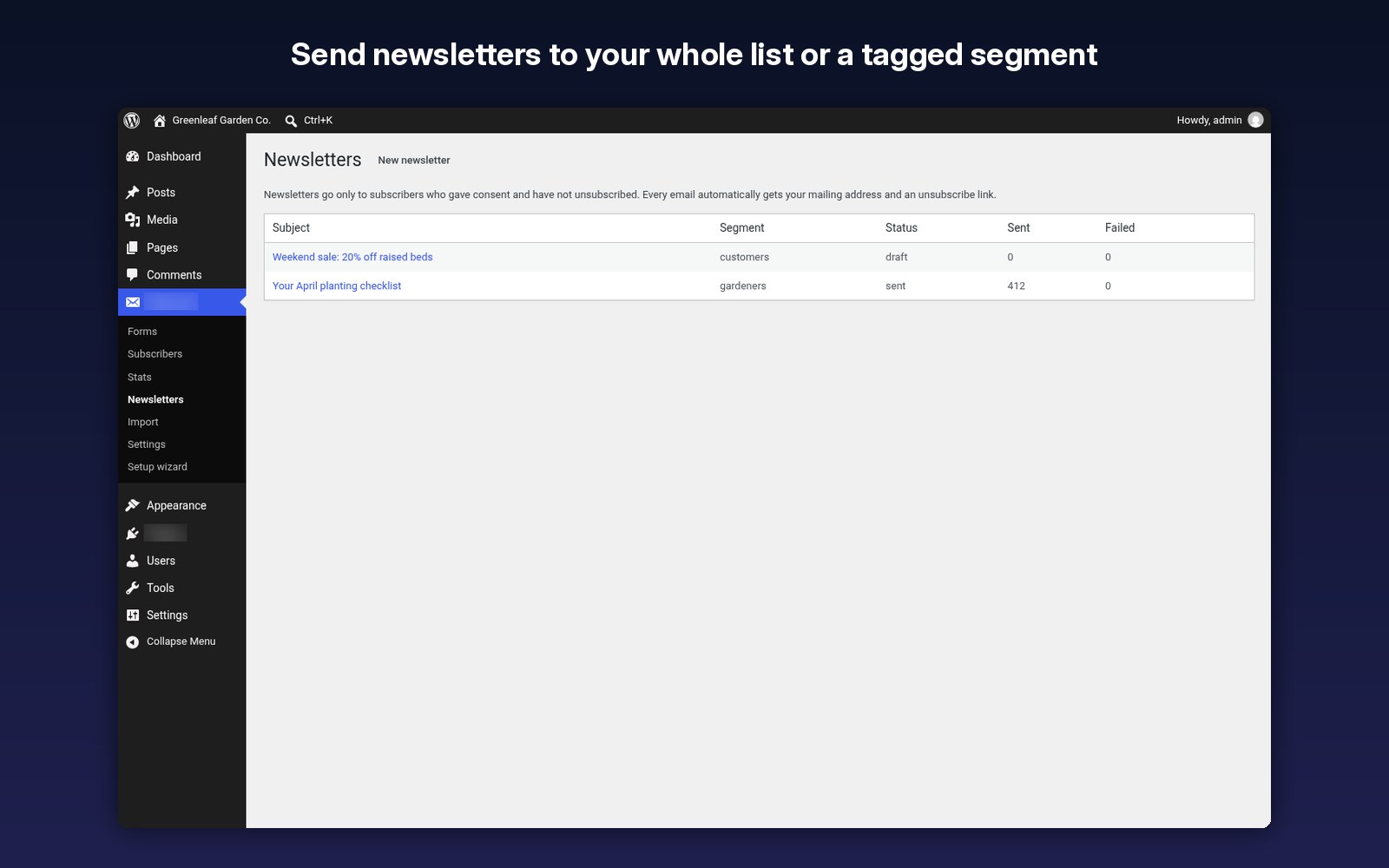
Send newsletters straight from WordPress to your whole list or a tagged segment, and sell sponsor spots or paid issues to your readers.
Offer email marketing as a service
Agencies and freelancers can set up list building and newsletters on client sites and charge monthly for setup, campaigns and care plans.
Turn more visitors into buyers
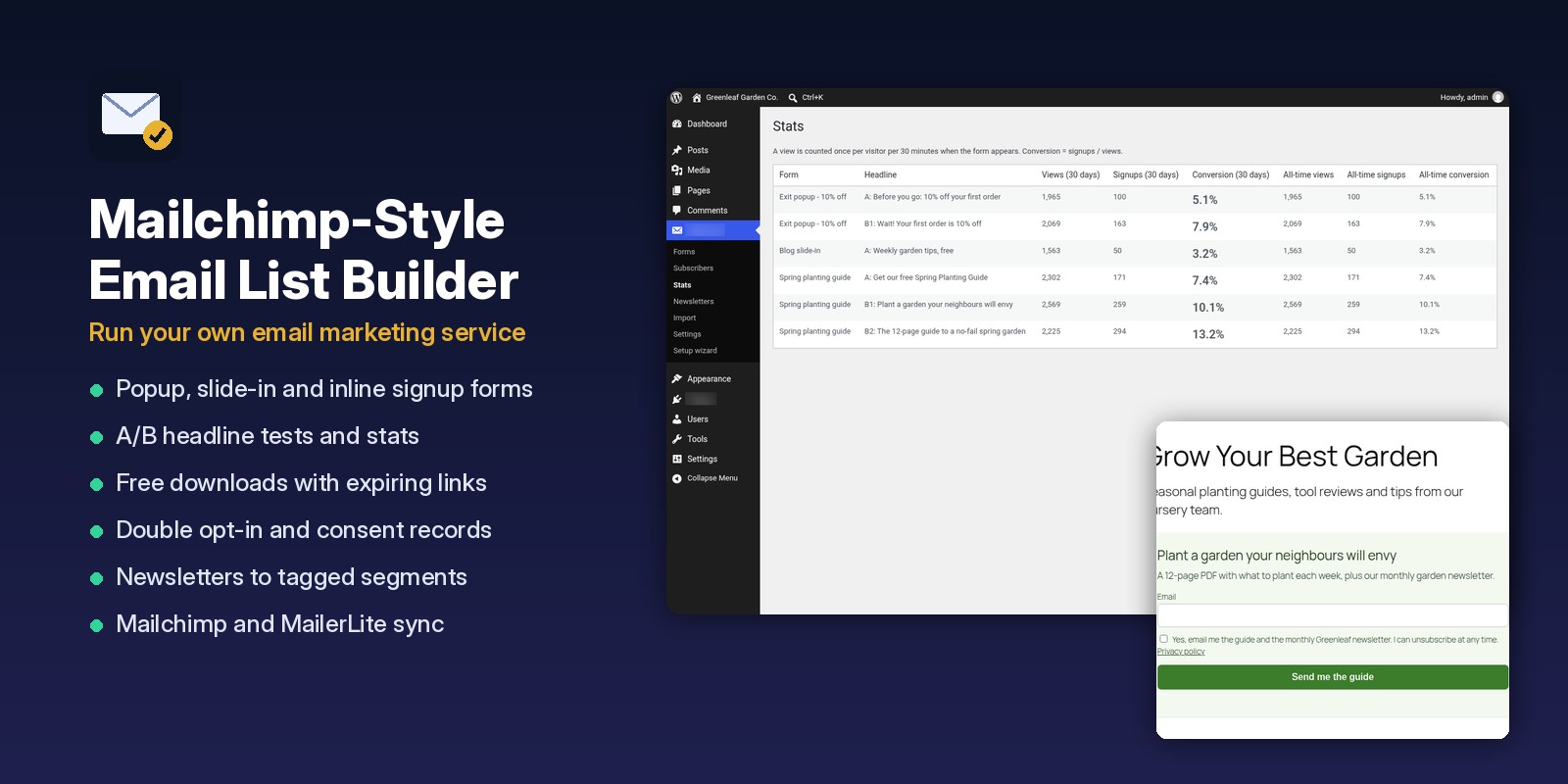
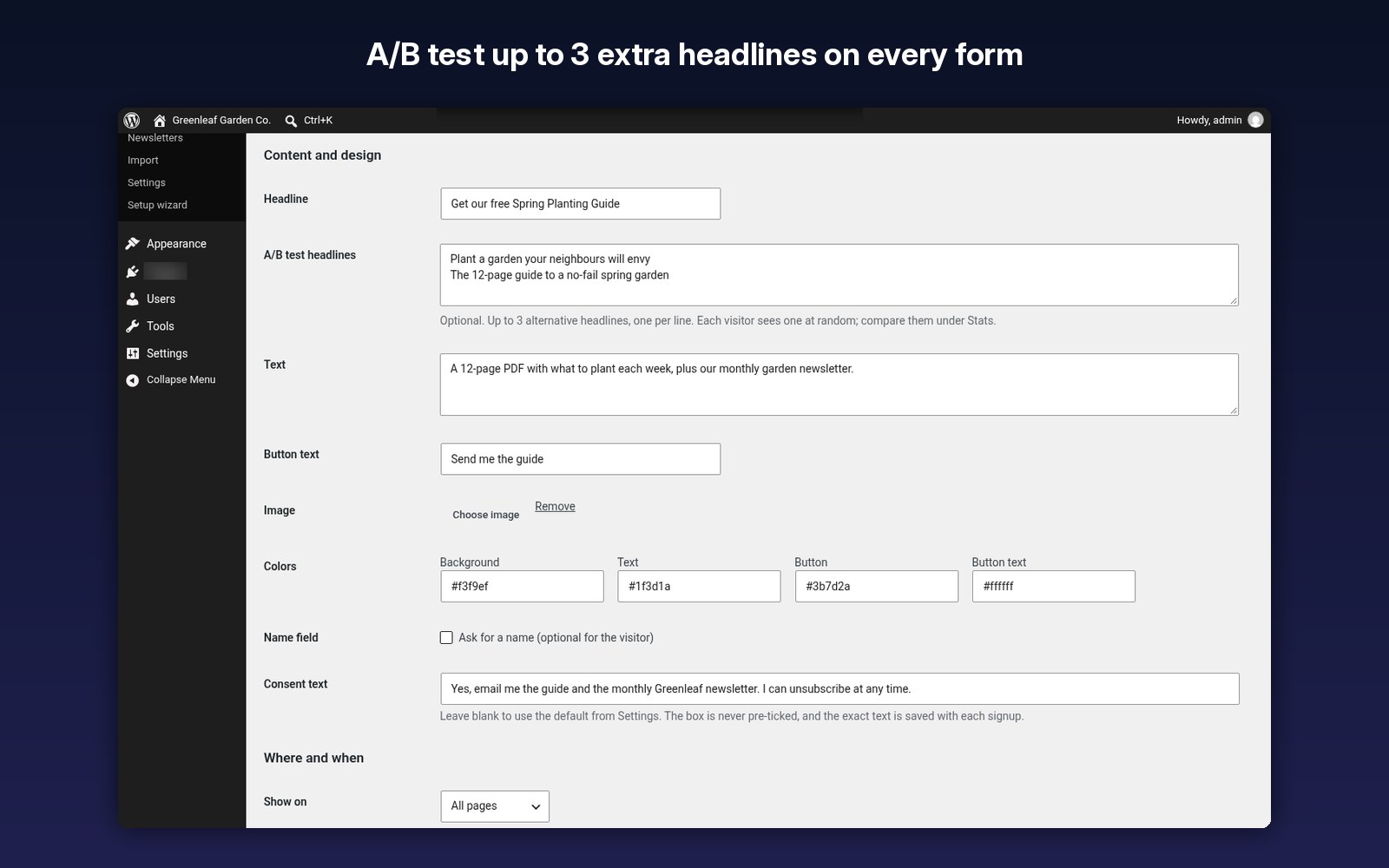
A/B test up to 3 extra headlines per form and watch the stats. Keep the winner and get more signups from the same traffic.
Stop paying per subscriber
Hosted email tools charge more as your list grows. Here your list lives on your own site and newsletters go out through your own mail setup, with one payment and no monthly fee.
Grow without spam complaints
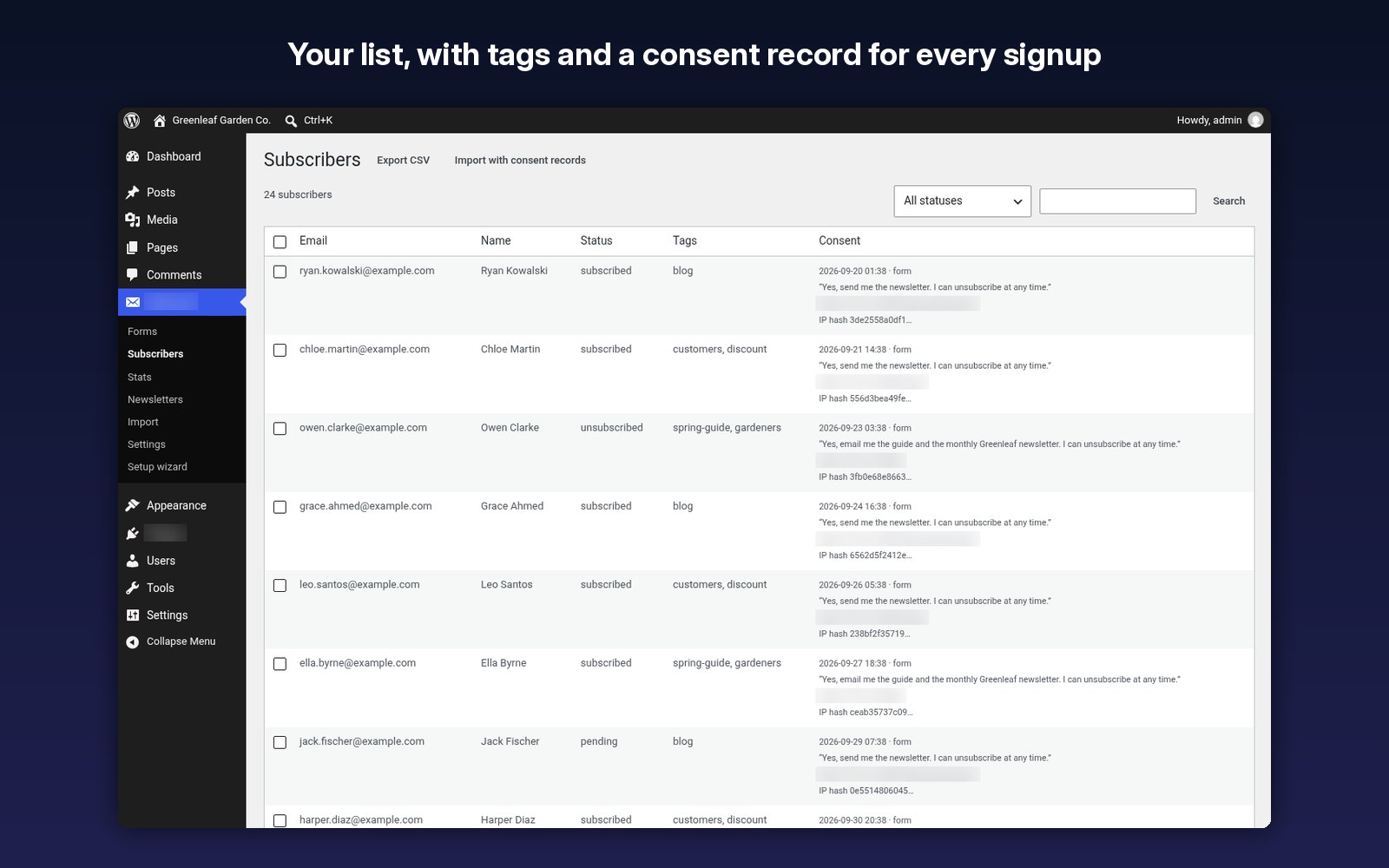
Double opt-in, consent records with the exact wording, time and page, and an unsubscribe link in every email help keep your list clean and your emails out of spam.
Keep the tools you already use
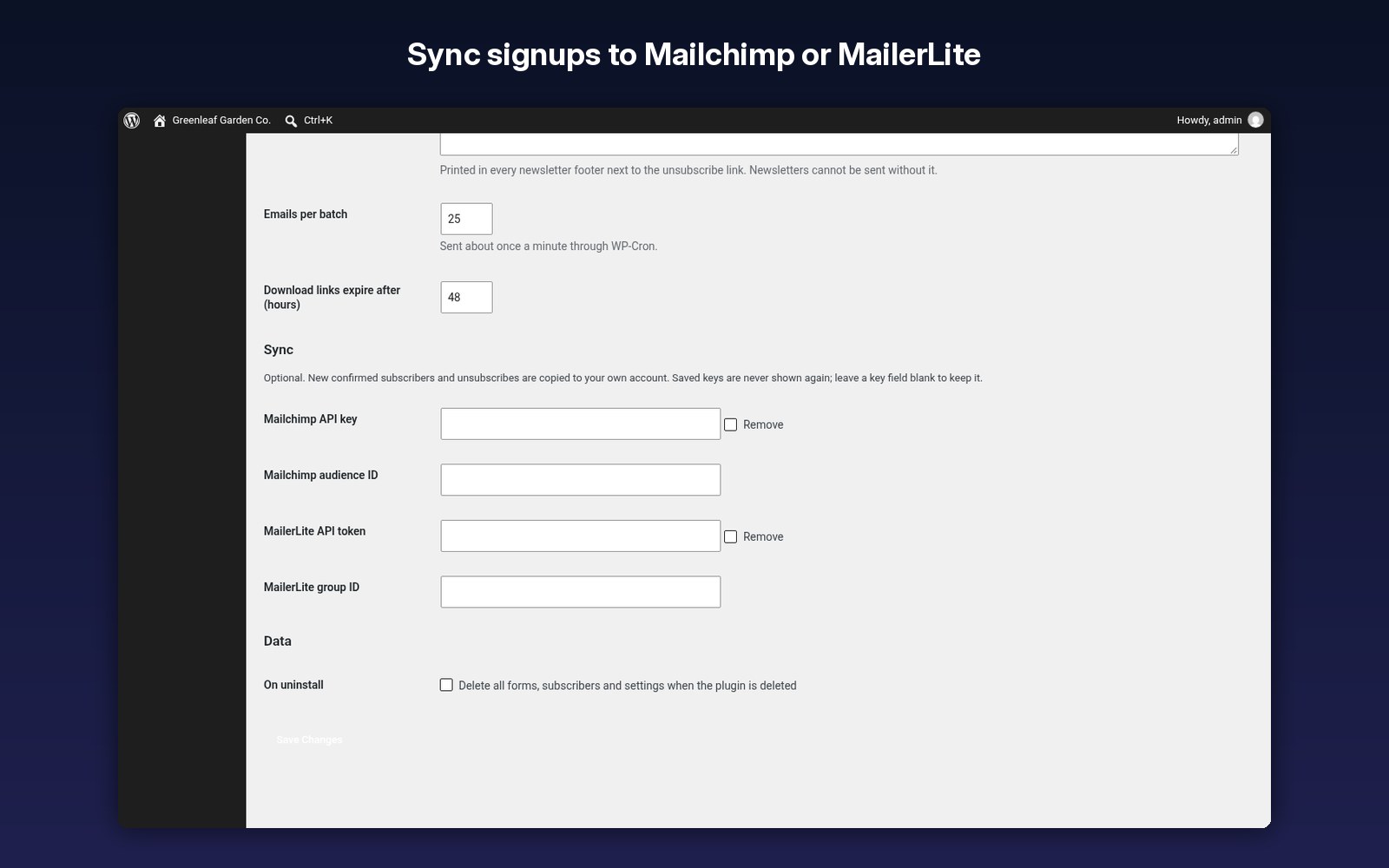
Confirmed signups can sync to your own Mailchimp or MailerLite account, and unsubscribes and deletions are passed on automatically.
Everything you need to run your own email marketing
Popup, slide-in and inline forms with a shortcode or block, each with its own headline, text, button, colors and image.
Show forms on all pages, the homepage or selected pages, after a delay, on scroll or on exit intent, with a frequency cap.
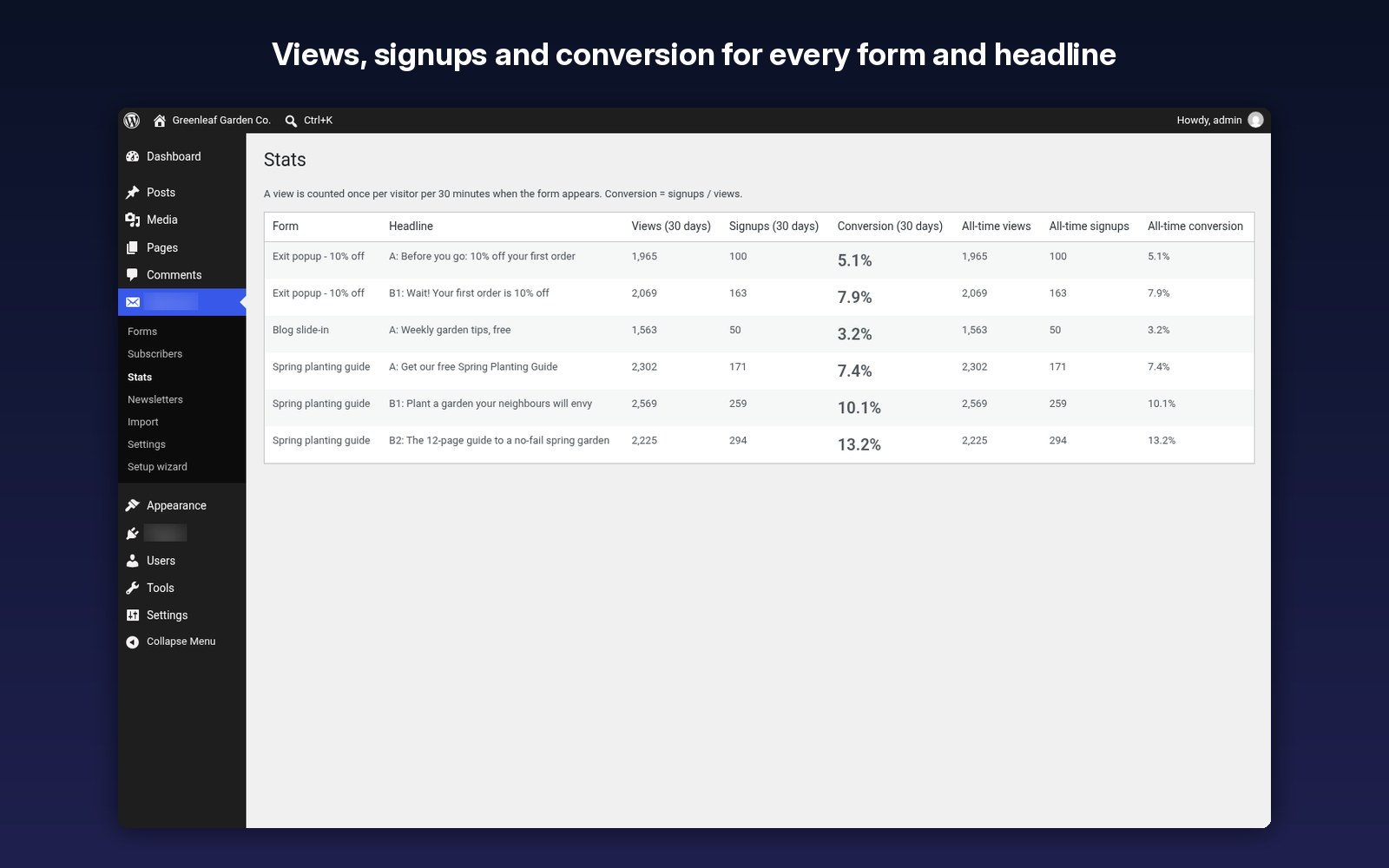
Up to 3 alternative headlines per form. Each visitor sees one, and the stats show which one wins.
Views, signups and conversion rate per form and per headline, for the last 30 days and all time.
A different protected file per form, sent through signed links that expire after 48 hours by default.
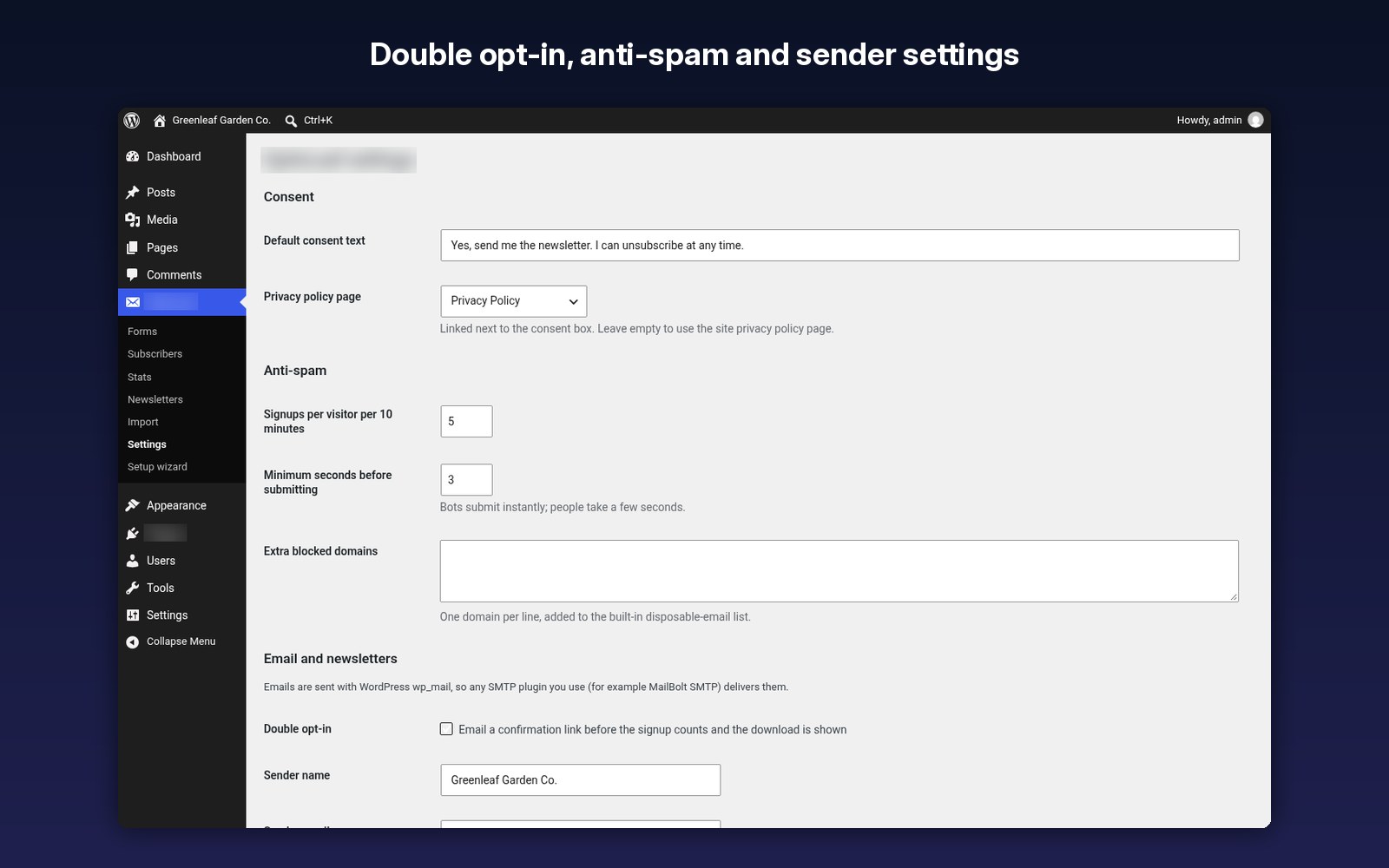
An optional confirmation email that must be clicked before the signup counts and the download is shown.
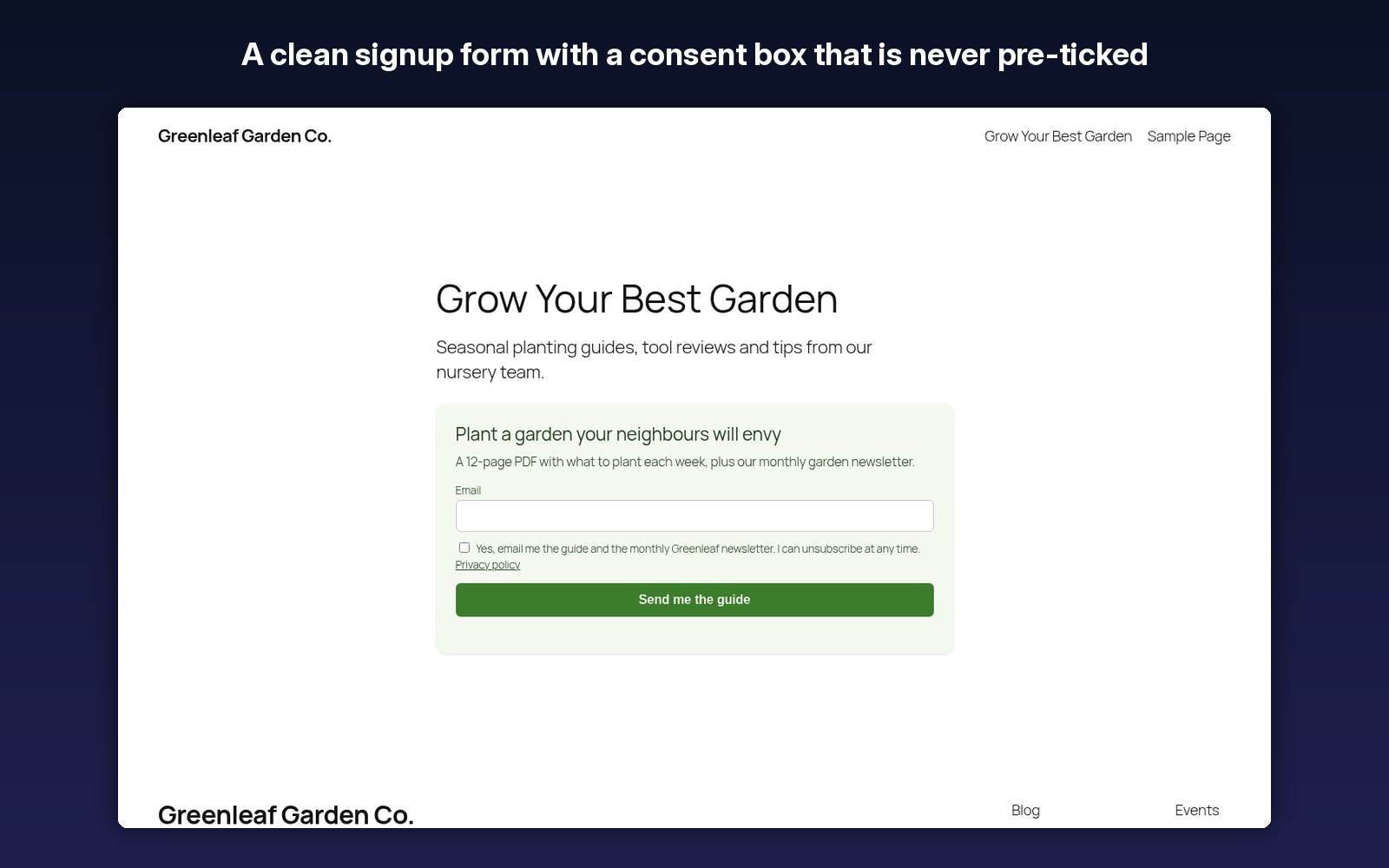
The exact consent wording, time, page and a one-way IP hash are saved for every signup. The consent box is never pre-ticked.
Tag subscribers per form or in bulk, and send newsletters to a single tag.
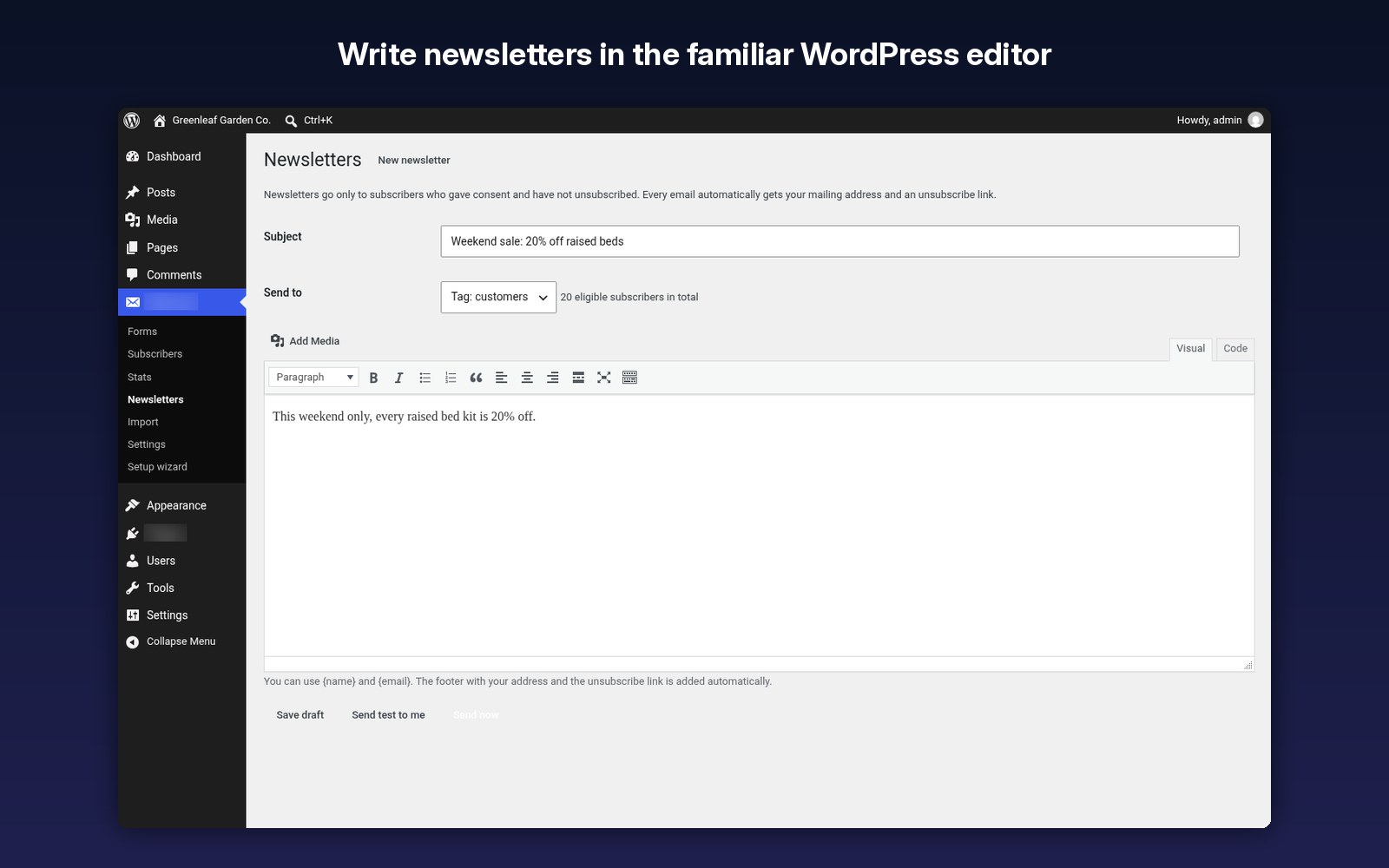
Write in the WordPress editor and send in batches through wp_mail, so any SMTP tool delivers them. Every email gets your mailing address and an unsubscribe link.
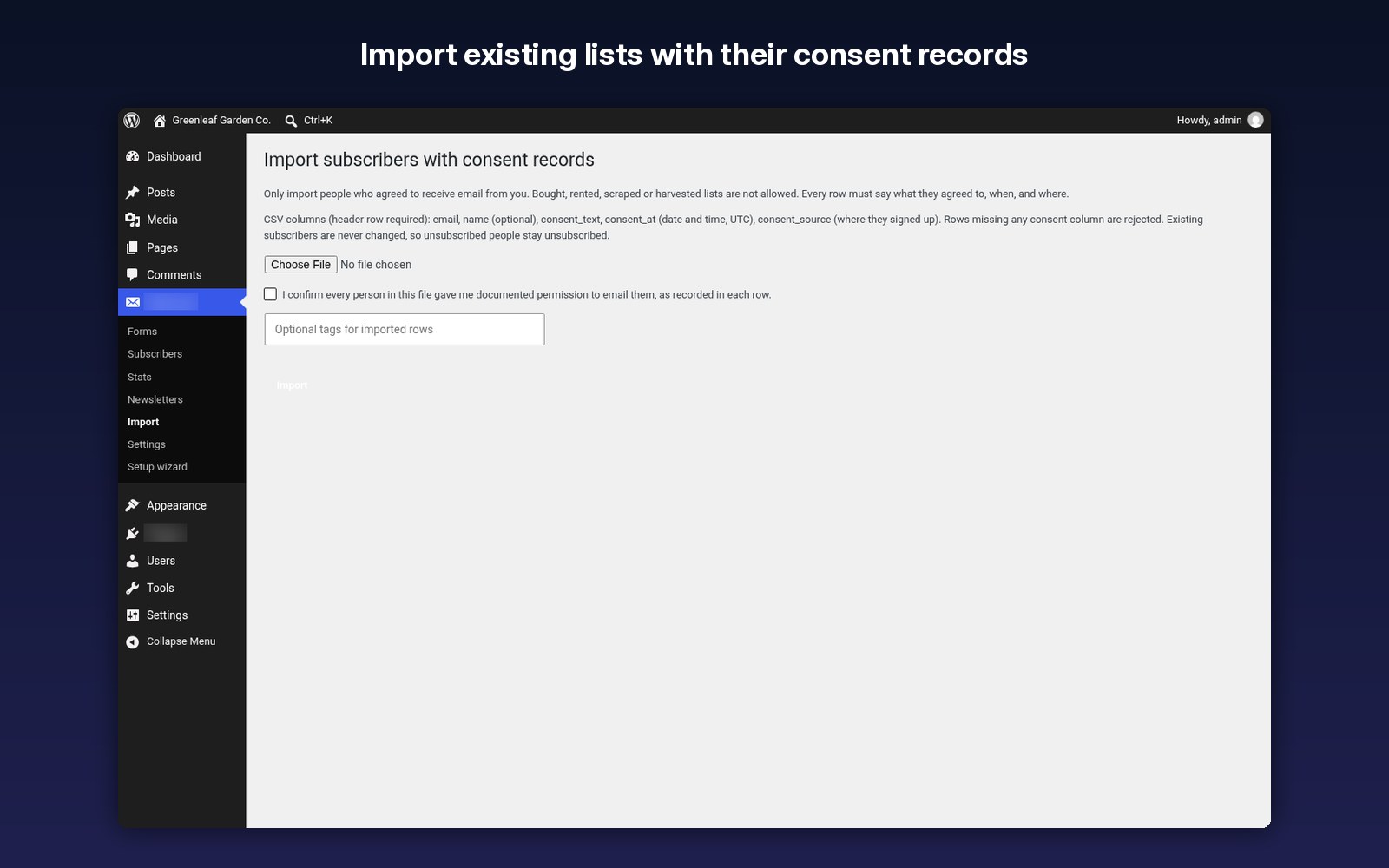
Bring in existing lists, with a consent record required on every row.
Connect your own account. Confirmed signups are added, and unsubscribes and deletions are passed on.
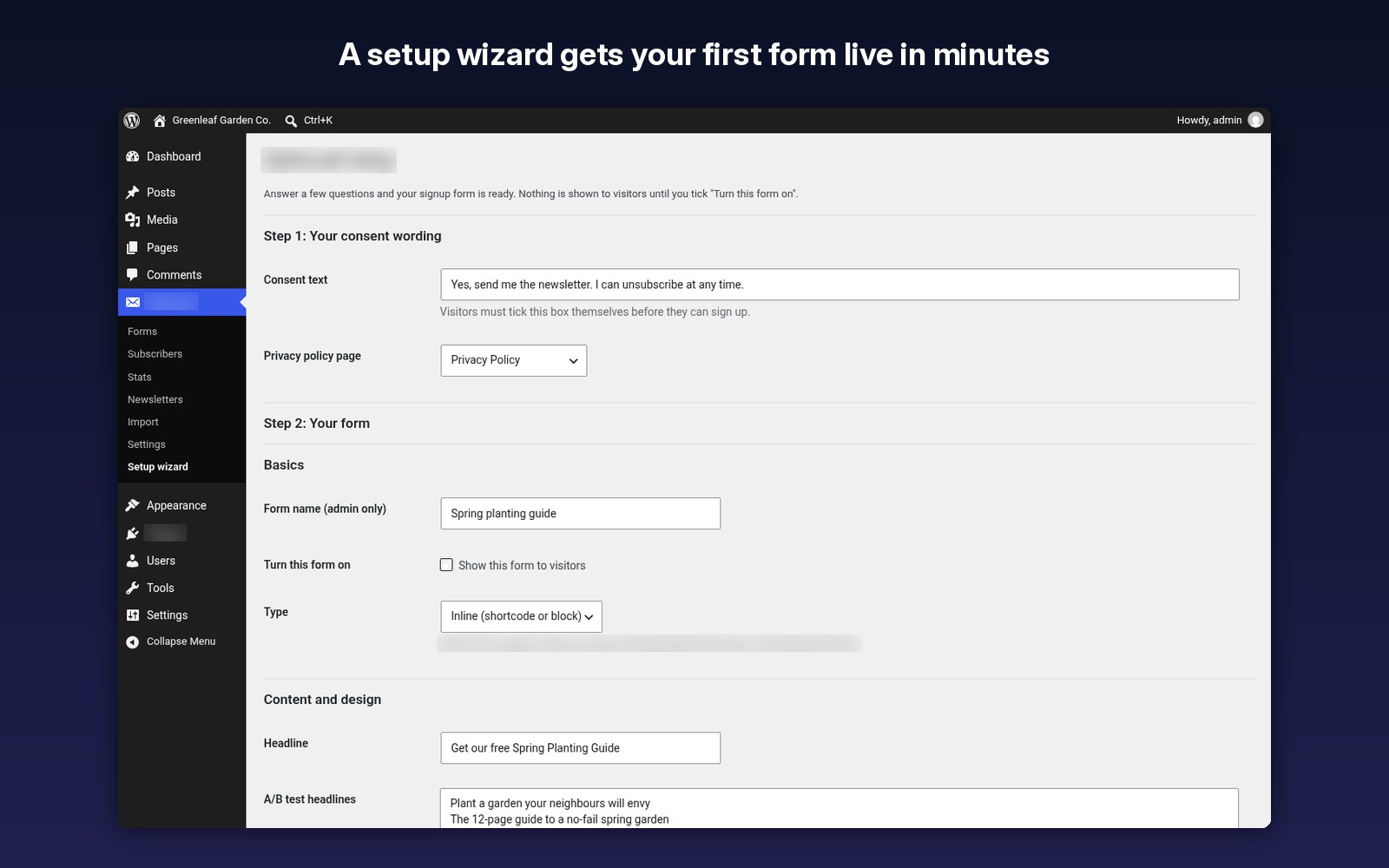
Honeypot, time trap, rate limit and a disposable-email blocklist, plus WordPress privacy export and erase, and a setup wizard.
Screenshots
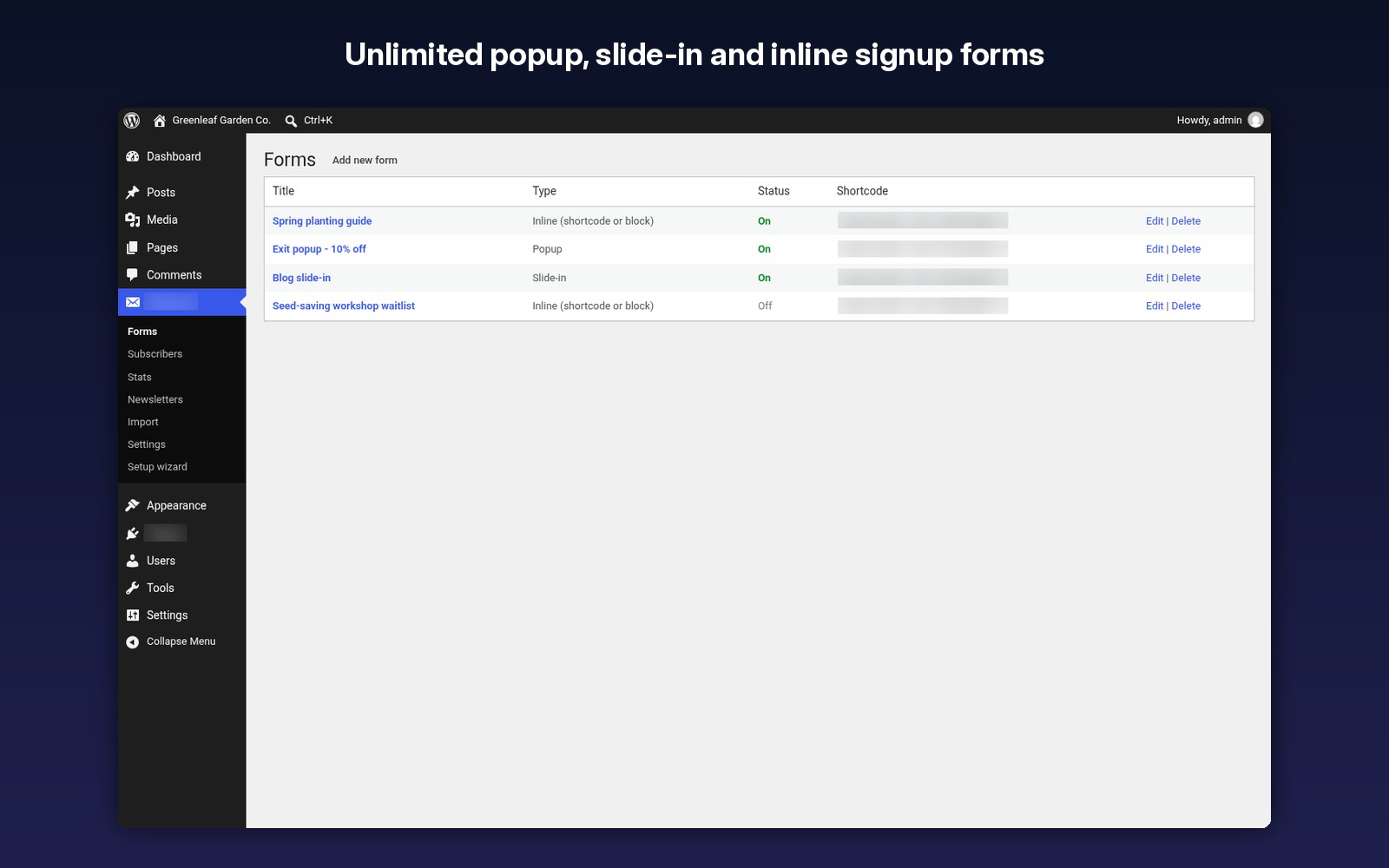
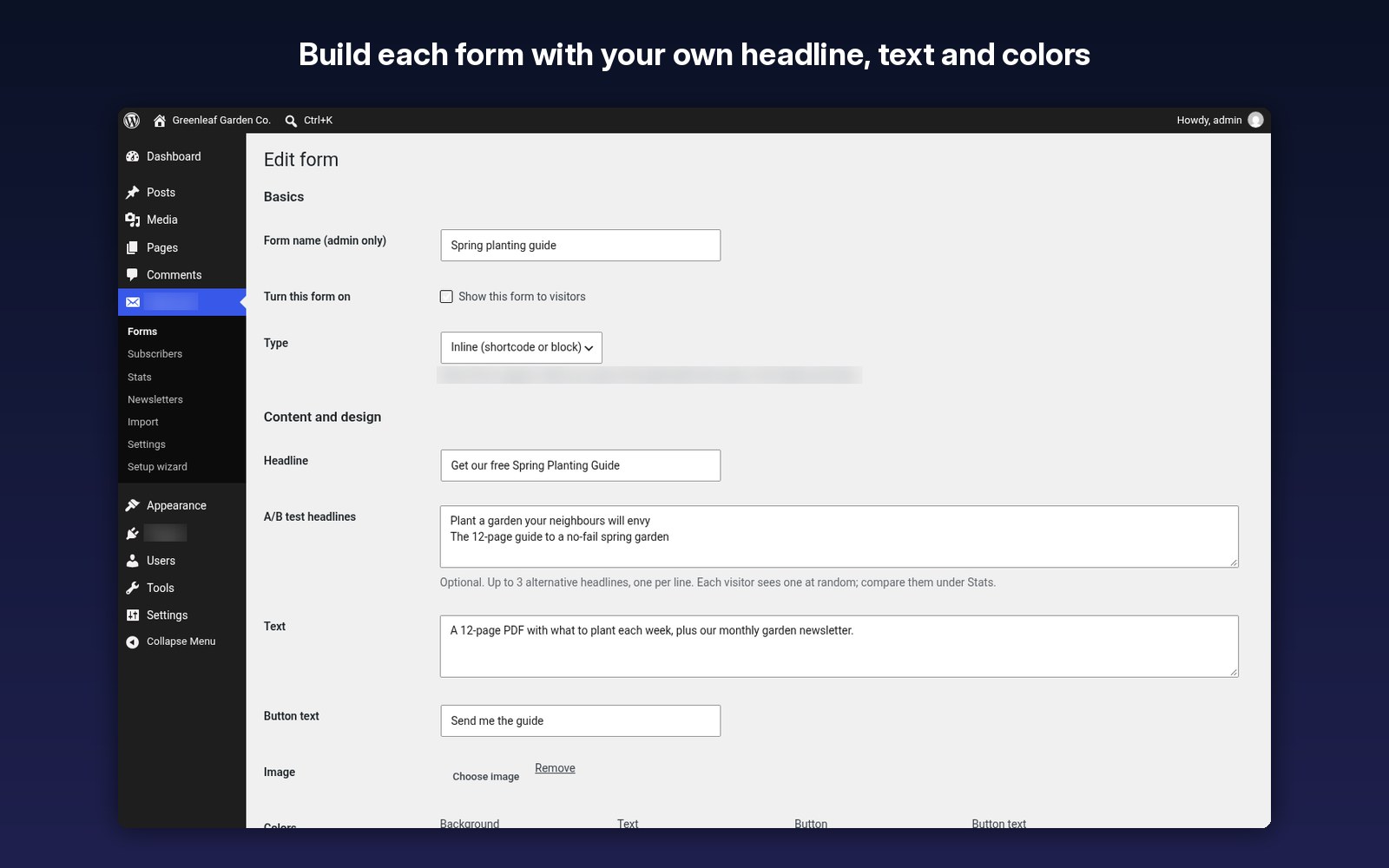
Screenshots from a test site with a fictional garden shop.
FAQ
No. It is a complete, standalone tool. You need WordPress 5.8 or newer and PHP 7.4 or newer. Newsletters go out through your site’s normal email, so for the best delivery we suggest any SMTP mail tool your host supports. Mailchimp or MailerLite sync is optional and uses your own account.
Fully licensed version — use on your own sites.
No. You can build your list and send newsletters entirely from WordPress. Syncing to Mailchimp or MailerLite is optional.
No. Your list is stored on your own site, with no per-subscriber charges and no monthly fee.
Yes. Every signup keeps a consent record, double opt-in is available, every newsletter includes an unsubscribe link and your mailing address, and it works with the WordPress privacy export and erase tools.
Yes. Import a CSV, as long as each row includes the consent record showing that person opted in.
Yes. You get exclusive online support at 007aj.com and lifetime access to all future updates.
Who OptinLeaf Pro is for
OptinLeaf Pro is the full edition of our consent-first email optin plugin. It turns your WordPress site into a list builder and newsletter sender, so your subscribers live in your own database instead of on a hosted service that charges by contact. It suits:
- Bloggers and creators who give away an ebook, checklist or template and want to email their readers about new posts and products.
- Small businesses and shops starting a newsletter without a monthly fee or a per-subscriber price that grows with the list.
- Course, coaching and membership sites building a warm list before a launch, with tags to separate interests.
- Agencies and freelancers who set up list building and newsletters on client sites and want a tool with no license key or external account to manage.
- Existing Mailchimp or MailerLite users who want a copy of every signup in WordPress, with confirmed signups synced to their own account.
Not a fit: anyone who wants to buy, rent or scrape email lists. OptinLeaf Pro refuses imports without a consent record on every row and never sends a newsletter without an unsubscribe link.
Everything in the free edition, plus
- Unlimited forms (the free OptinLeaf includes one): popup, slide-in or inline with the
Free eBook: Build It Right
Learn the practical way to choose and build with WordPress themes and plugins - get your free copy now.
- A/B headline tests: up to 3 alternative headlines per form. Each visitor is assigned one at random and keeps it.
- Stats: views, signups and conversion rate per form and per headline, for the last 30 days and all time.
- Protected files: a different Media Library file per form, delivered through signed links that expire (48 hours by default).
- Optional double opt-in: a confirmation email must be clicked before the signup counts and the download is shown.
- Tags and segments: tags added per form or in bulk, used to send newsletters to one group.
- Newsletters from WordPress: write in the WordPress editor with {name} and {email} placeholders, send a test to yourself, then send to all subscribers or one tag. Emails go out in batches about once a minute through WP-Cron, and you can cancel while sending.
- Import with consent: CSV import requires consent_text, consent_at and consent_source on every row. Rows without a record, with a future date, or with invalid or disposable emails are rejected and listed. Existing subscribers are never changed.
- Mailchimp and MailerLite sync: connect your own account with an API key. Confirmed signups are added, and unsubscribes and deletions are passed on.
Built-in compliance helpers
- The consent checkbox is never pre-ticked, and the exact wording, time, page and a one-way IP hash are stored with every signup. Raw IP addresses are never stored.
- Every newsletter includes your physical mailing address, an unsubscribe link, and List-Unsubscribe and one-click unsubscribe headers. Sending is blocked until the address is filled in.
- Newsletters go only to subscribers who gave consent, are confirmed and have not unsubscribed.
- The unsubscribe page asks for one click to confirm, so email link scanners cannot unsubscribe people by accident.
- WordPress privacy export and erase tools include OptinLeaf data, and CSV exports guard against spreadsheet formula injection.
Set up in four steps
- Upload the zip under Plugins → Add New → Upload Plugin and activate. If the free OptinLeaf is active, deactivate it first; your forms and subscribers carry over.
- Complete the setup wizard: your consent wording and privacy page, then your first form. The form stays off until you tick Turn this form on.
- Under OptinLeaf → Settings, enter your physical mailing address, sender name and email, and turn on double opt-in if you want it.
- Connect an SMTP plugin such as MailBolt SMTP Pro so newsletters and confirmation emails are delivered reliably, then send a test newsletter to yourself.
New to popups? Our guide on how to add an email popup in WordPress covers offers, triggers and testing, and our Mailchimp alternatives for WordPress comparison explains when a self-hosted list makes sense.
Requirements
- WordPress 5.8 or newer (tested up to 7.1).
- PHP 7.4 to 8.5.
- WP-Cron running (default in WordPress) for newsletter batches and sync jobs. A real server cron calling wp-cron.php makes sending more regular on quiet sites.
- No license key and no external calls, except the Mailchimp or MailerLite account you choose to connect.
More questions
Do I need the free OptinLeaf as well?
No. OptinLeaf Pro is a complete, standalone plugin.
Can I remove the unsubscribe link from newsletters?
No. It is added to every newsletter by design.
Where are my Mailchimp or MailerLite API keys stored?
In your WordPress database. They are never shown again after saving and are only sent to the provider they belong to.
How fast do newsletters send?
In batches about once a minute while the site has visitors, or on schedule if your host runs wp-cron.php from a real cron job. You choose the batch size in Settings.
What happens to my data if I delete the plugin?
Nothing, unless you tick the “delete all data on uninstall” option in Settings, which is off by default.
Changelog
1.0.0
- First release: unlimited forms, A/B headlines, stats, expiring protected downloads, double opt-in, tags, newsletters, consent-checked import, and Mailchimp and MailerLite sync.
Own your list. Sell to it. Keep the profit.
Stop renting your audience from a hosted email service. Install it in one click, turn on your first form and start growing a list you can sell to for years, with no monthly fee.
Special limited-time price · Exclusive online support at 007aj.com · Lifetime access to all future updates
Mailchimp-style describes the type of features only. Not affiliated with Mailchimp or Intuit. Mailchimp and MailerLite are trademarks of their owners.