
WhatsApp Order Button and Abandoned Cart Recovery Plugin for WooCommerce
Let customers order on WhatsApp with one click and win back abandoned carts with pre-filled WhatsApp reminders.
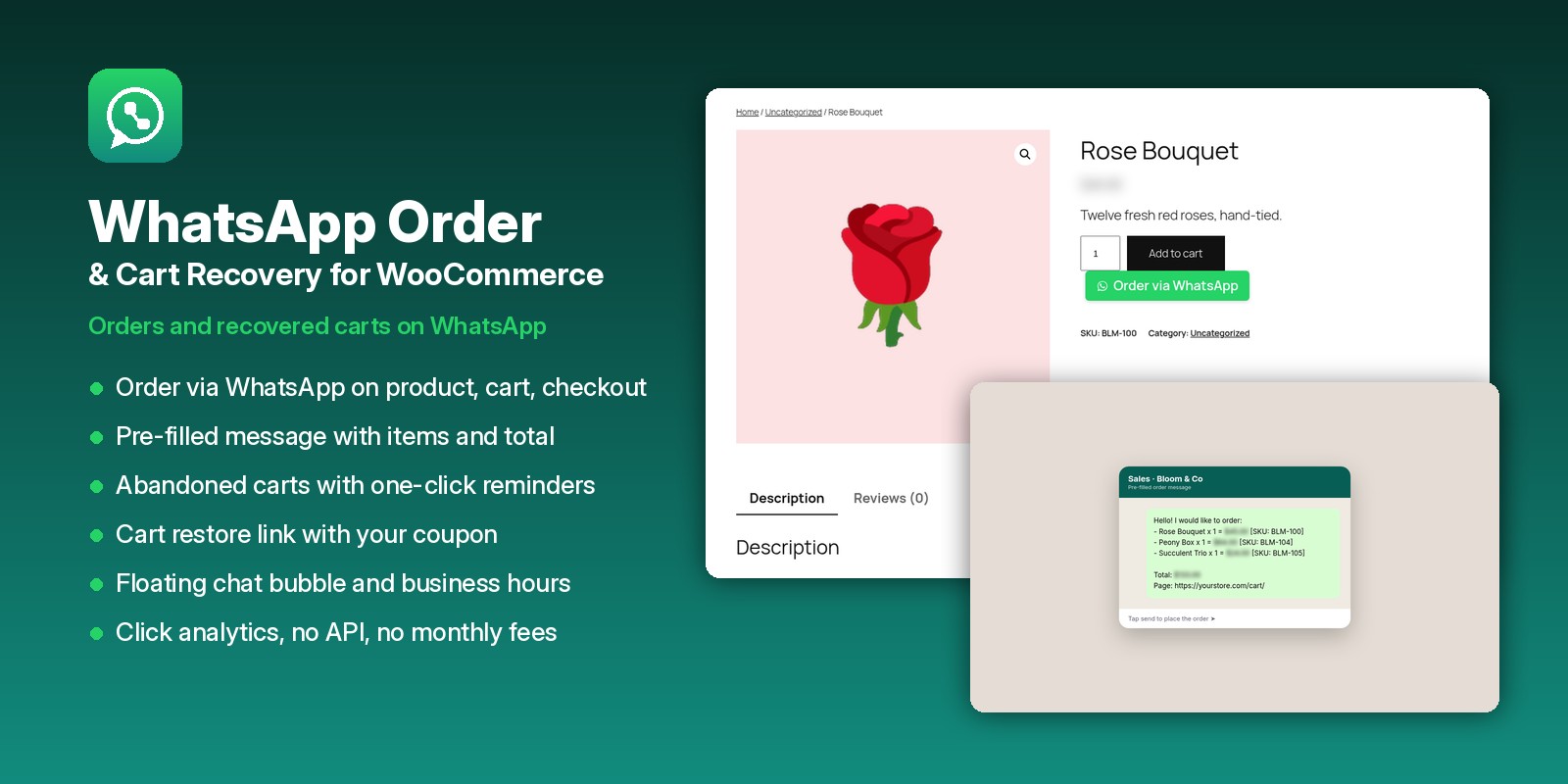
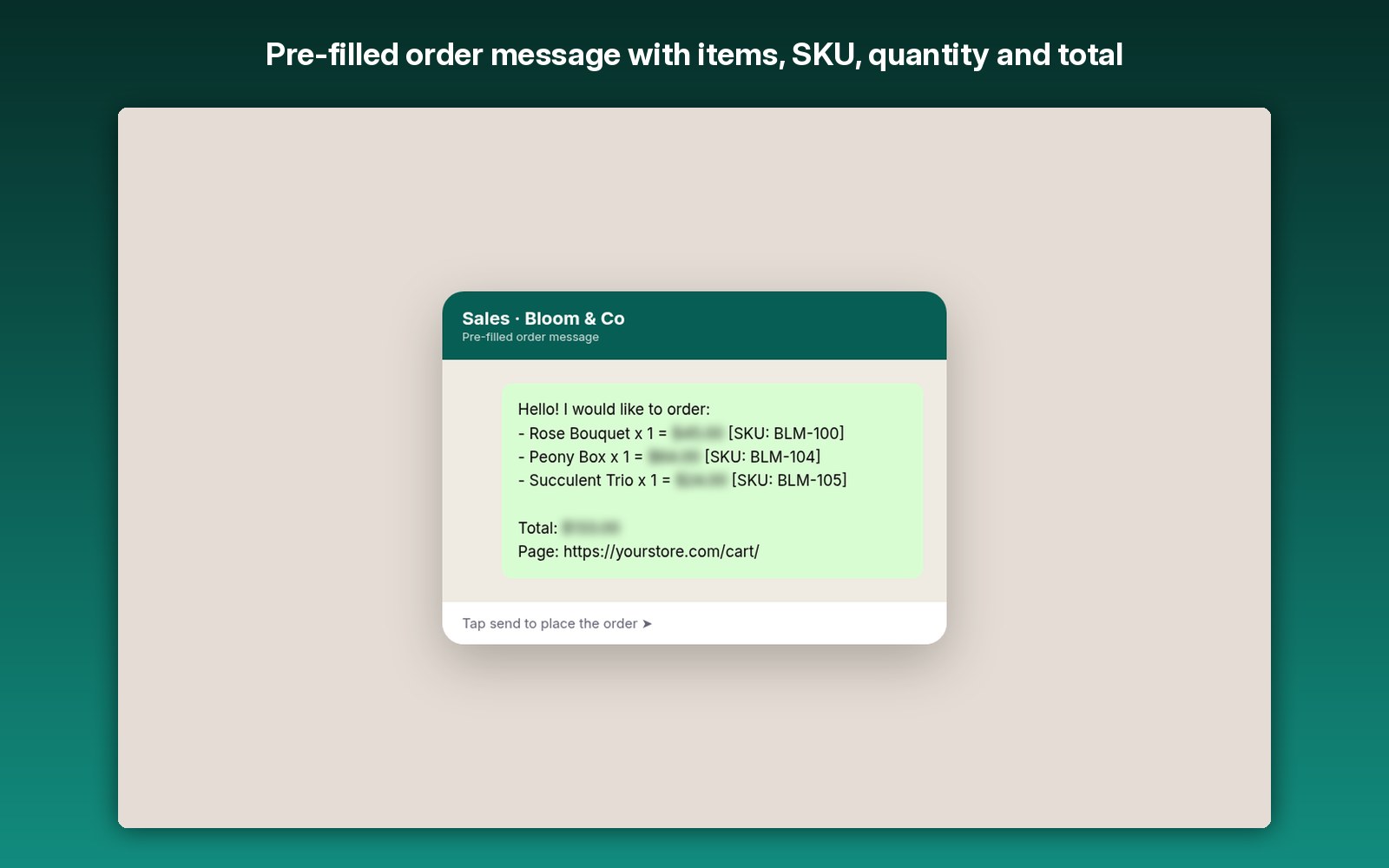
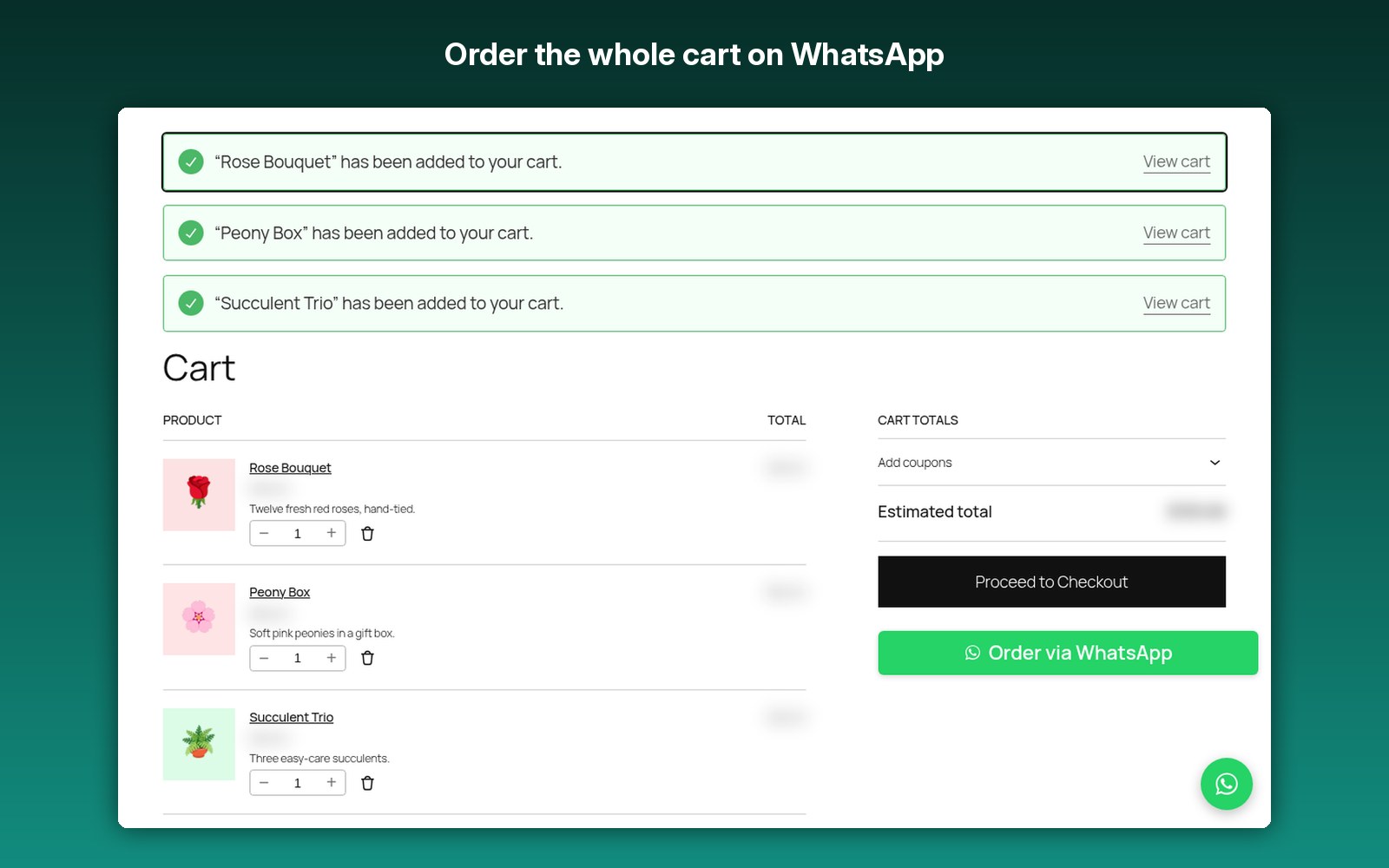
Shoppers tap Order via WhatsApp and a ready-to-send message opens with every item, variation, quantity and the total already filled in. Abandoned carts are captured at checkout so you can send a one-click WhatsApp reminder with a recovery link and an optional coupon.
Fully licensed · Works with free WooCommerce · No API, no monthly fees
Everything you need to sell on WhatsApp
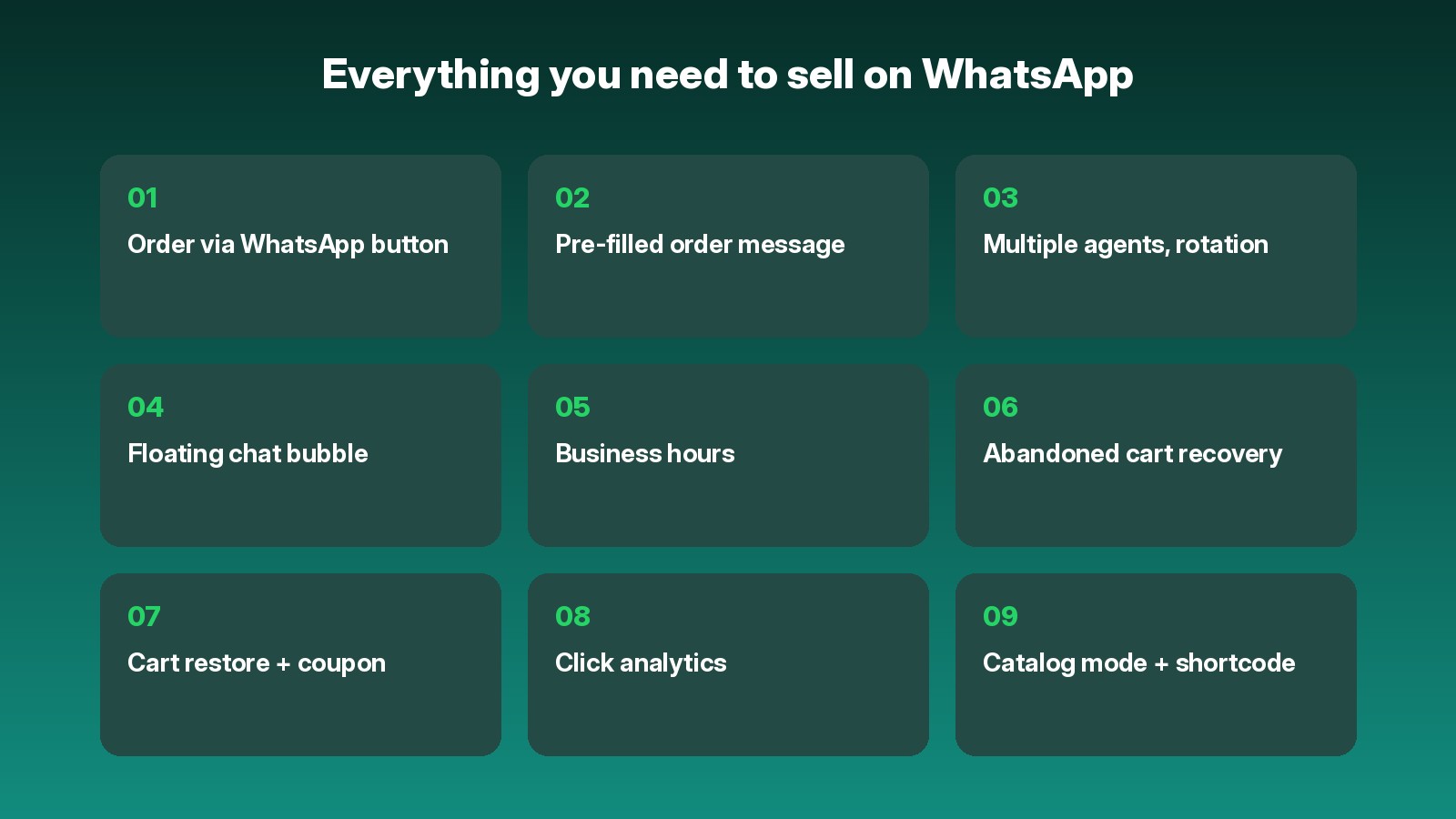
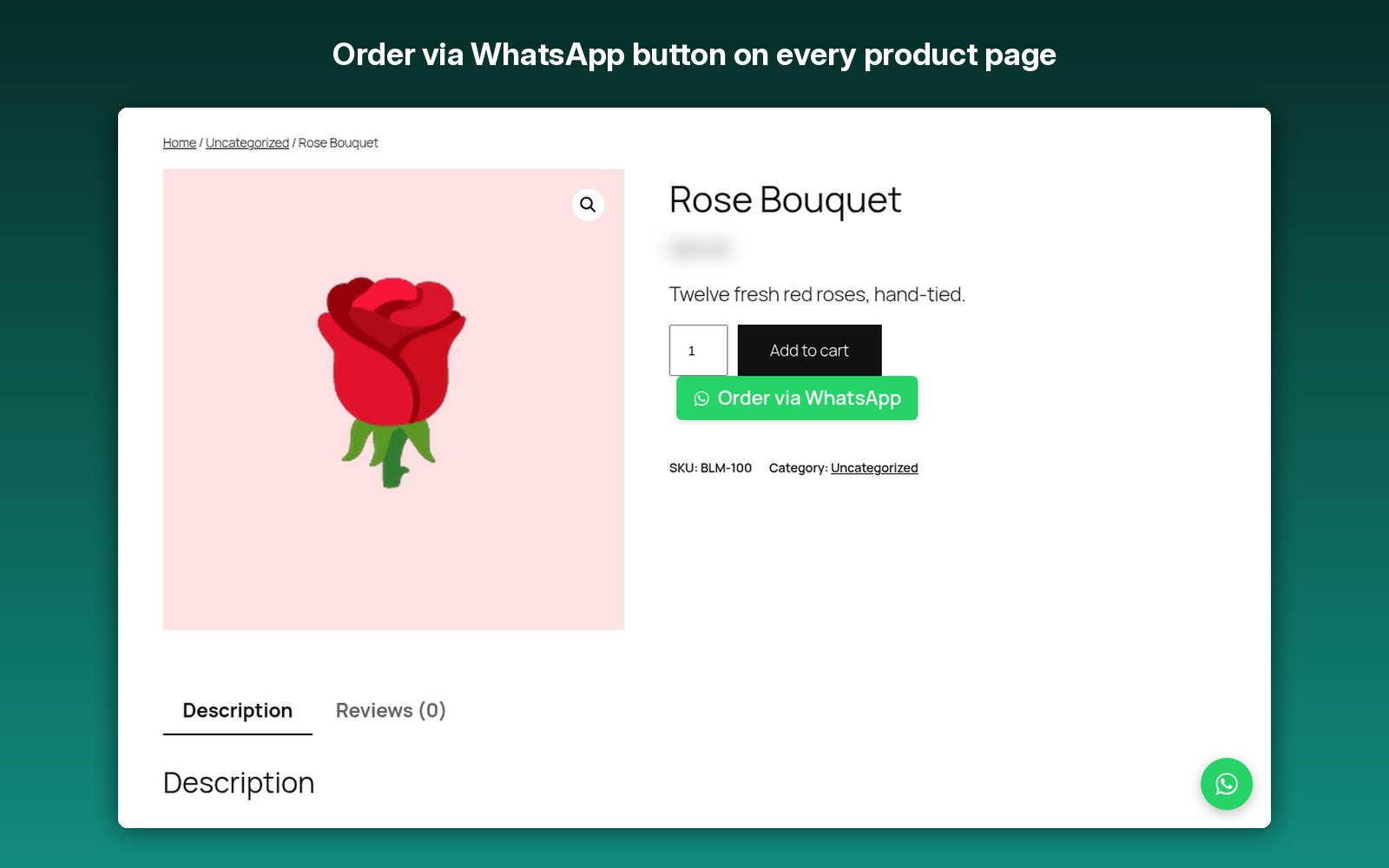
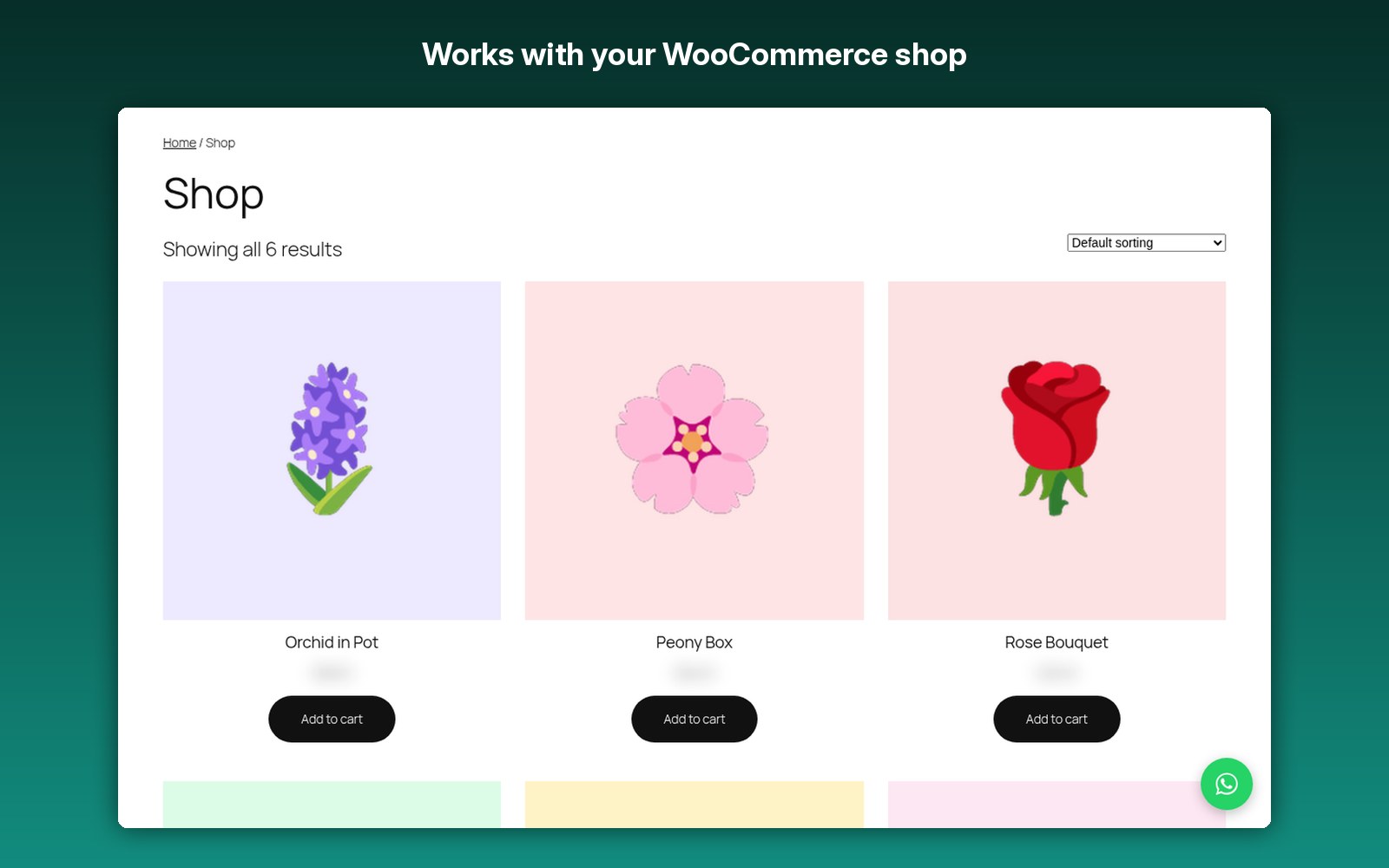
On product, cart and checkout pages, classic and block cart/checkout.
Items, variations, SKU, quantity, line totals and the order total are filled in for the shopper.
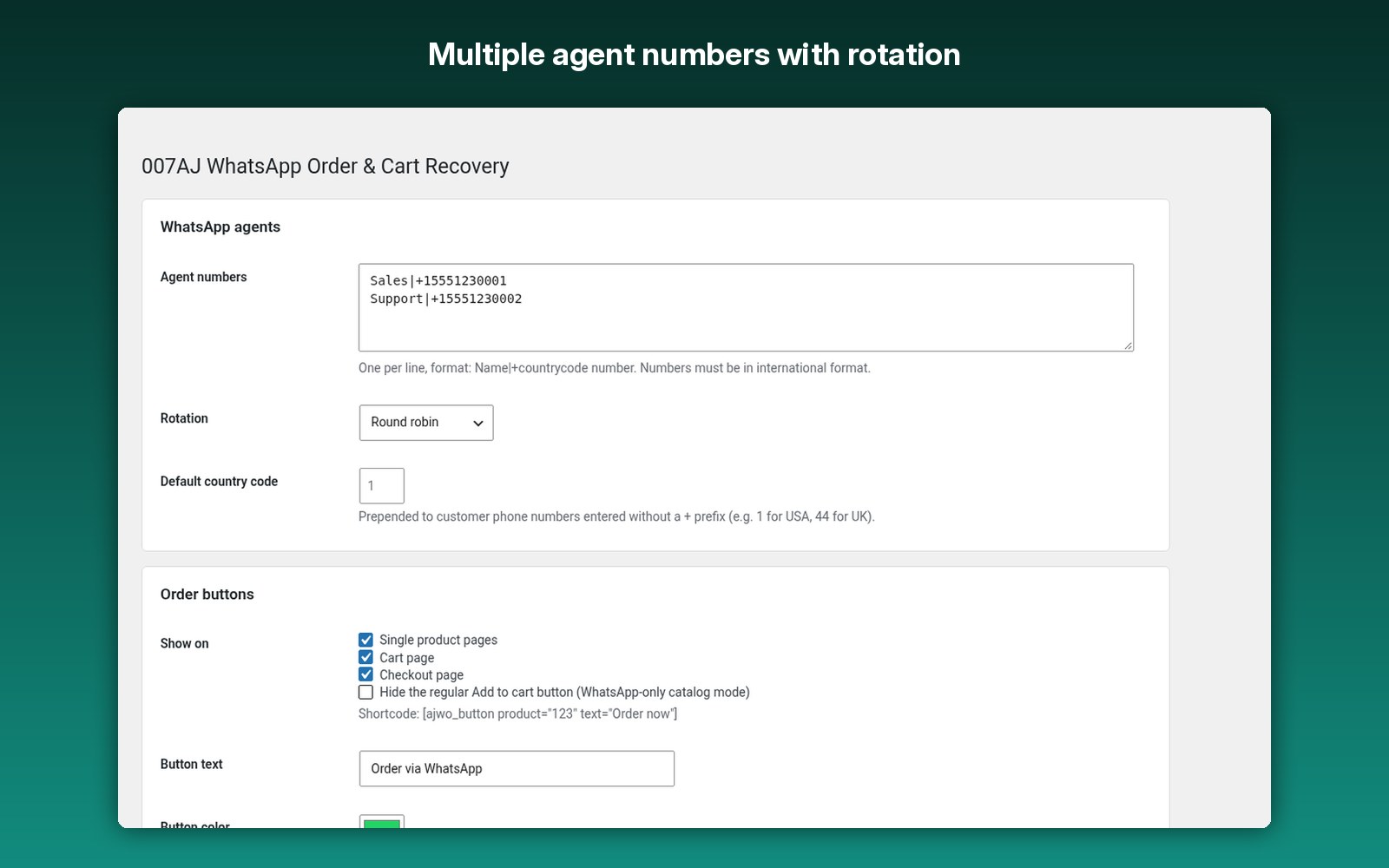
Add several WhatsApp numbers with round-robin, random or fixed rotation.
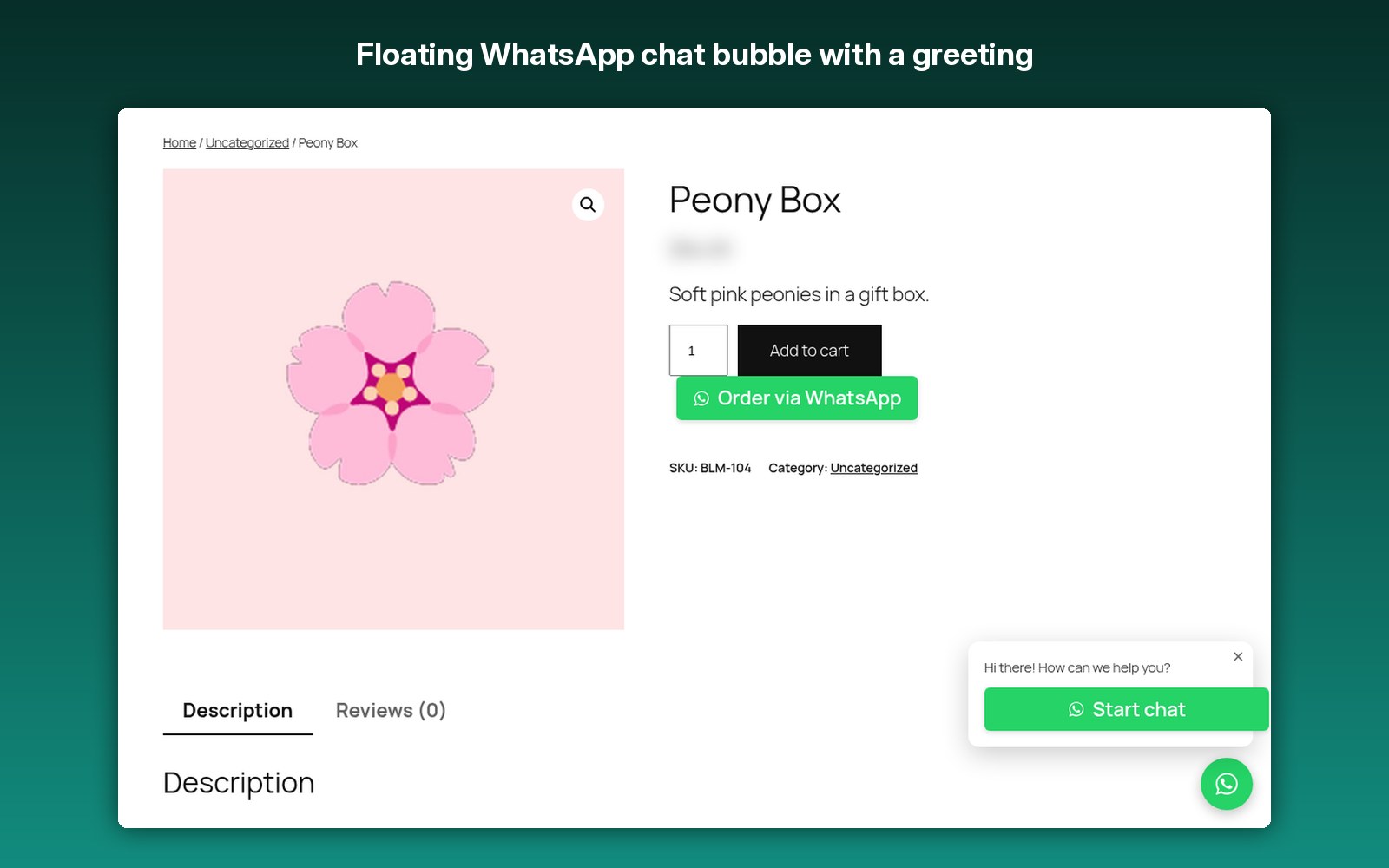
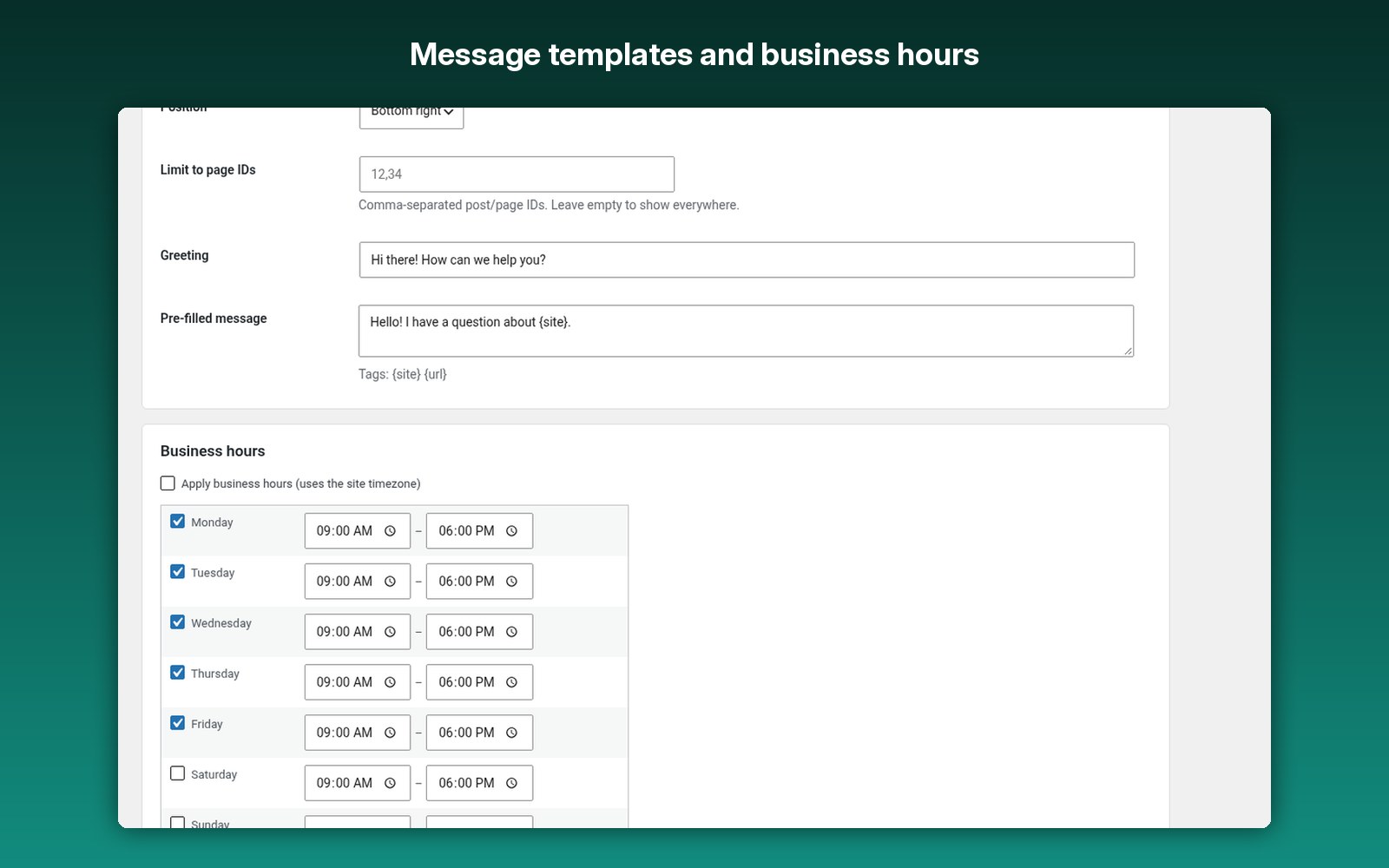
A WhatsApp chat bubble with a greeting, position and per-page targeting.
Set hours per weekday, with an offline note or auto-hide.
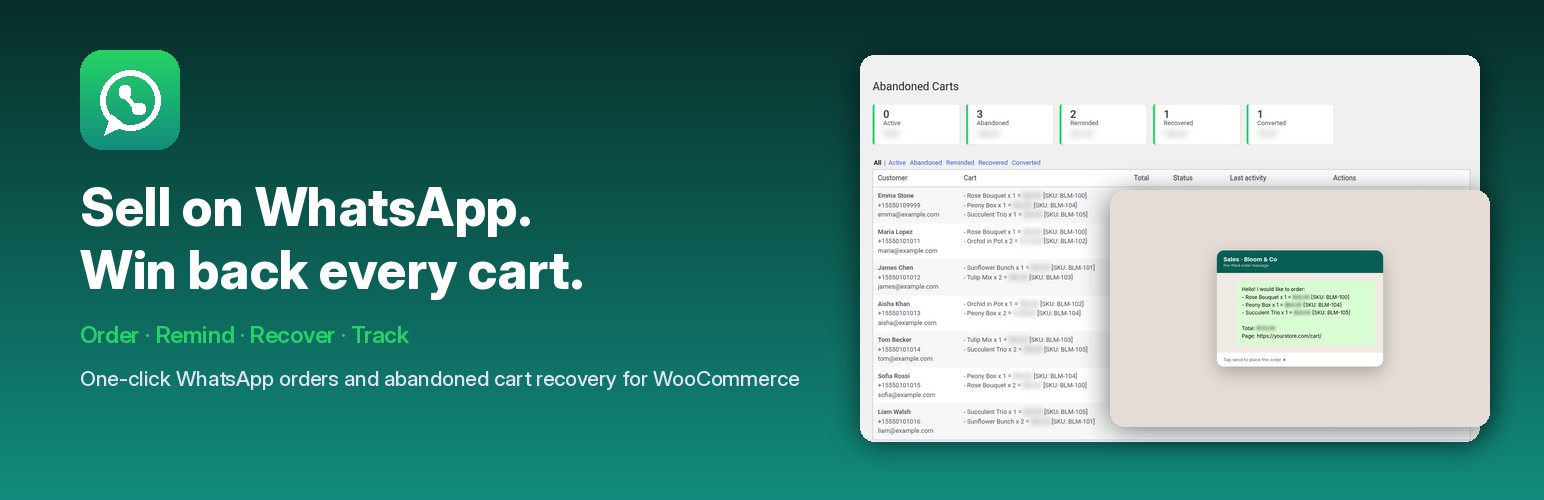
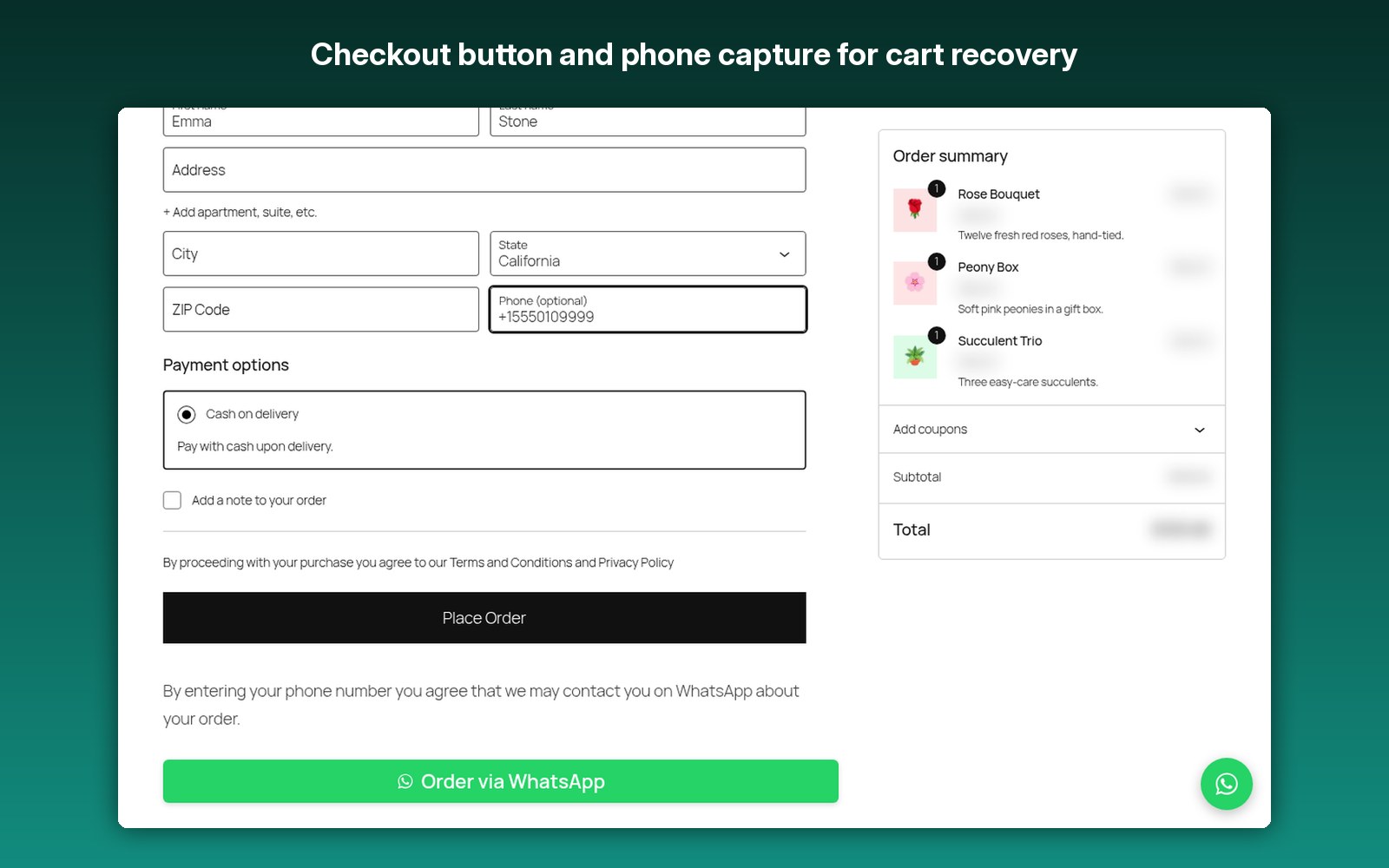
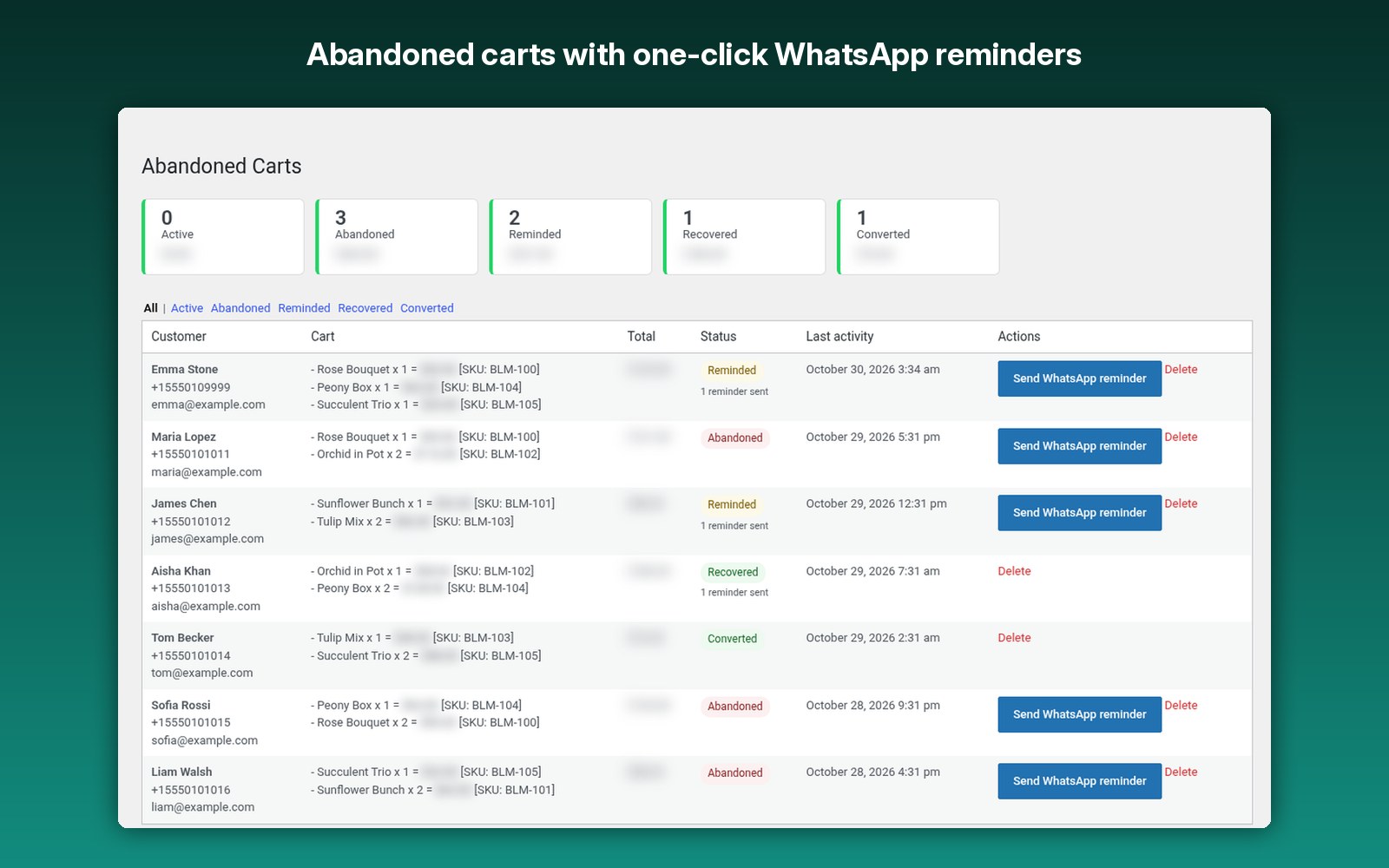
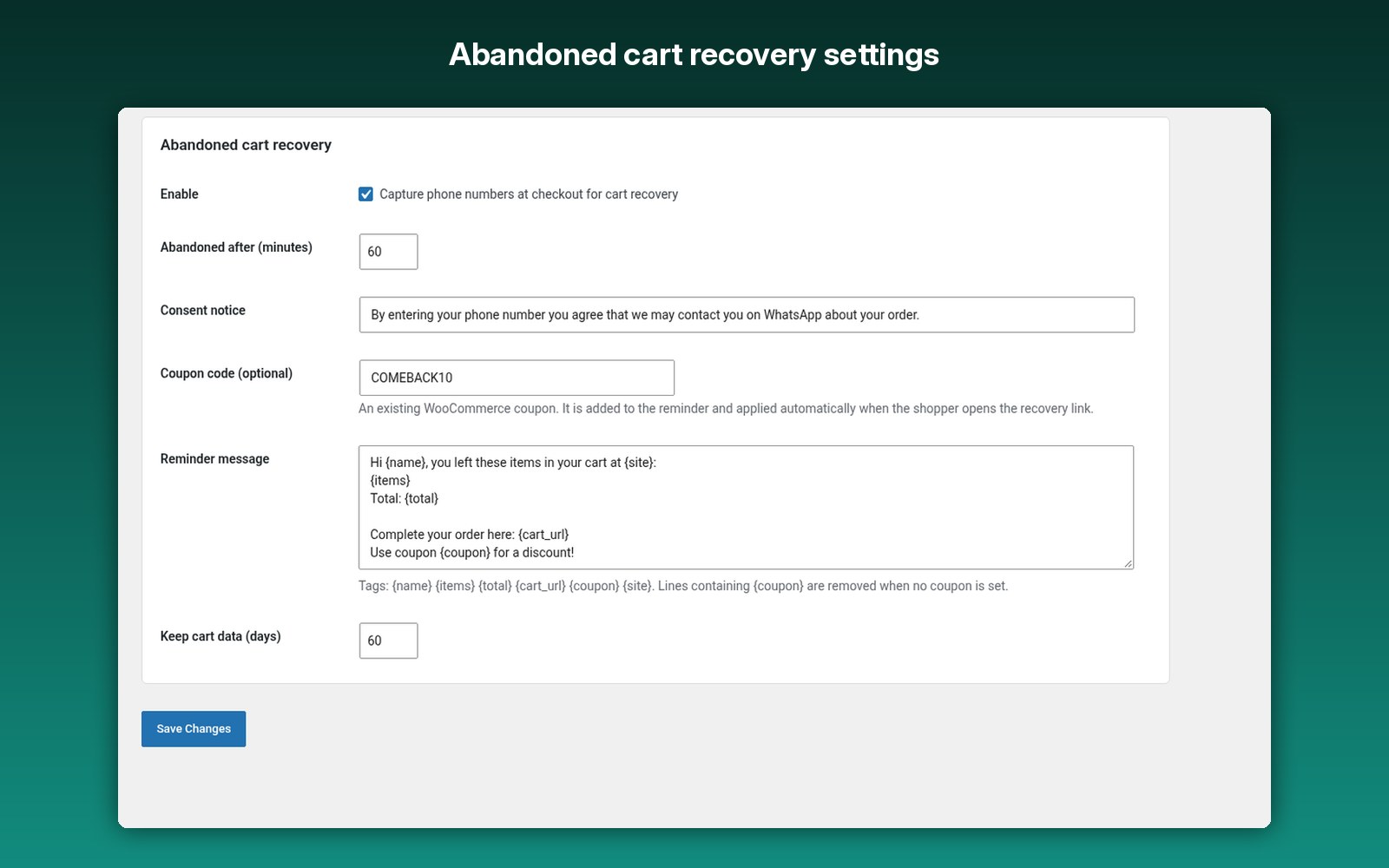
Phones are captured at checkout; see every cart as active, abandoned, reminded, recovered or converted.
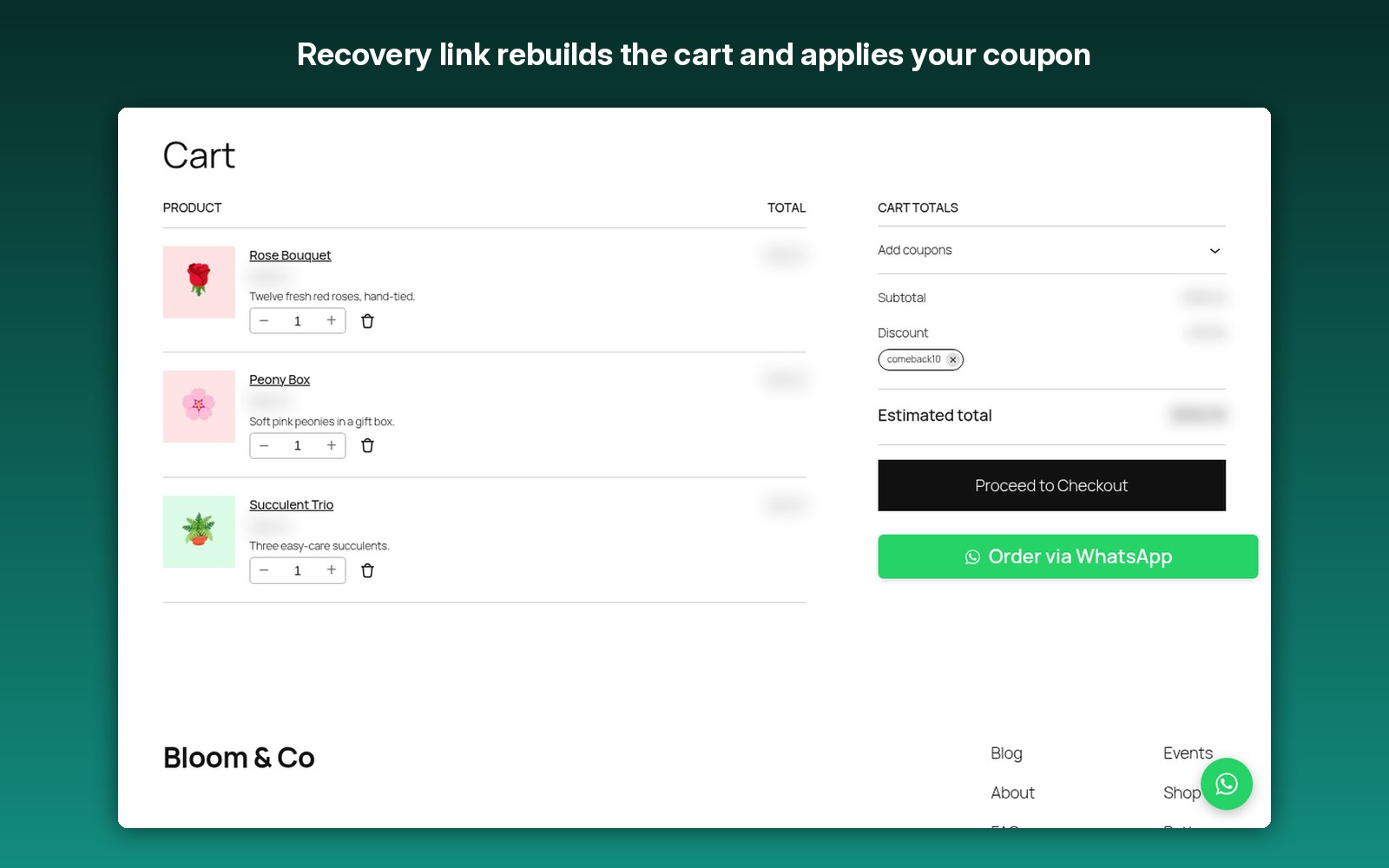
Open WhatsApp with a pre-filled reminder and a cart restore link that rebuilds the cart and applies your coupon.
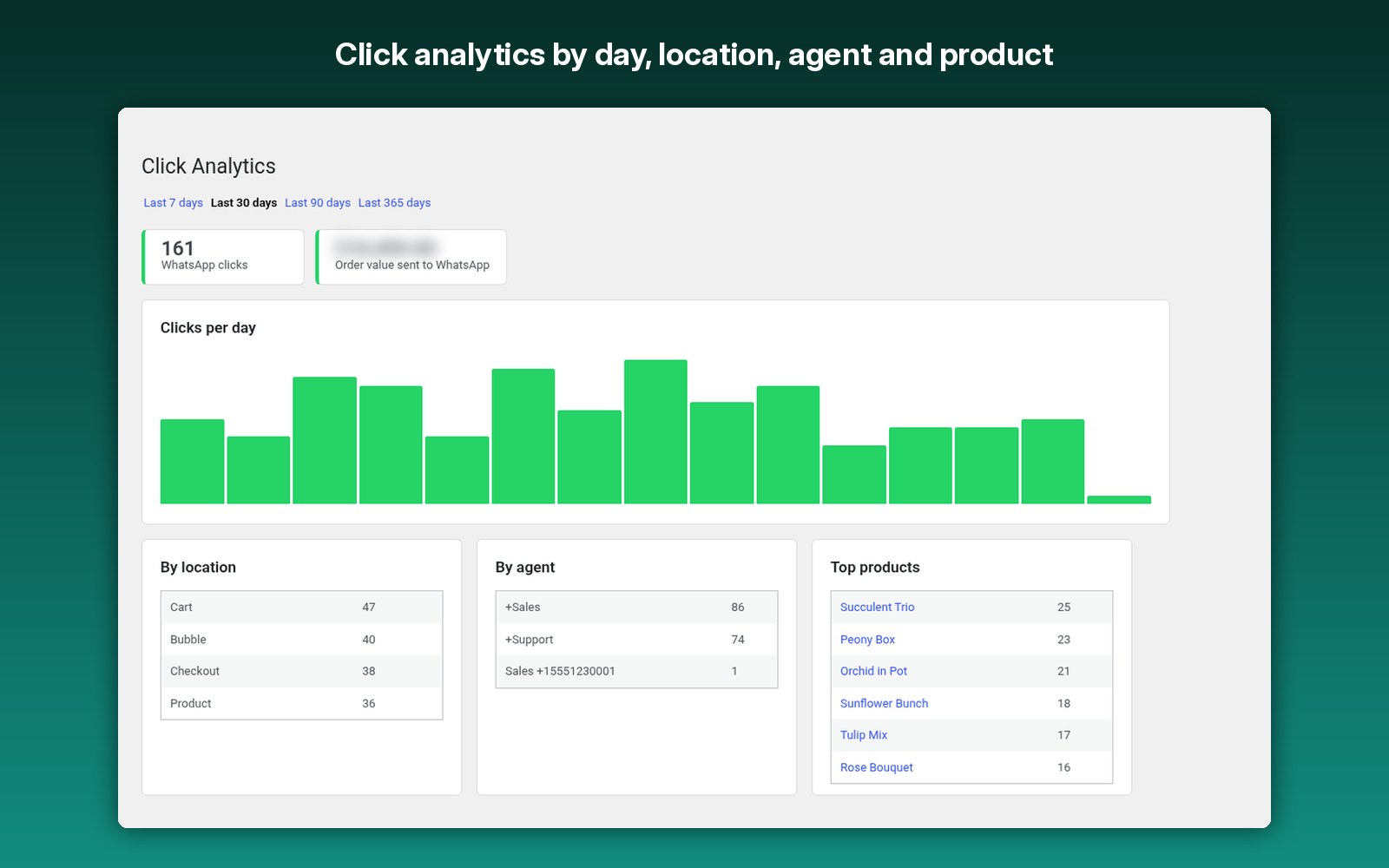
A daily chart, clicks by location, agent and product, and the order value sent to WhatsApp.
Optionally hide the Add to cart button and take orders on WhatsApp only.
Place an order button anywhere with [ajwo_button product=”123″ text=”Order now”].
Customize the order and reminder messages with tags.
Uses WhatsApp’s free click-to-chat links. No WhatsApp Business API or third-party service.
How it works
- Install it with WooCommerce active.
- Add your WhatsApp numbers under WhatsApp Order → Settings.
- Optionally create a WooCommerce coupon and add its code for cart recovery.
- Shoppers order on WhatsApp in one tap.
- Send one-click reminders from Abandoned Carts and track clicks in Click Analytics.
Screenshots
FAQ
Fully licensed version — use on your own sites.
No. You only need the free WooCommerce. It uses WhatsApp’s free click-to-chat links, so there is no WhatsApp Business API, third-party service or monthly fee.
Reminders open WhatsApp with the message pre-filled so you (or your agent) send it with one tap. This keeps it free and in line with WhatsApp’s terms.
When the shopper entered a phone number at checkout and did not place an order within the number of minutes you set (60 by default).
Yes. It works with classic and block cart/checkout, and with HPOS.
Phone, name, email and cart contents of shoppers who type a phone number at checkout, and anonymous click counts. Data is deleted automatically after the retention period and fully removed on uninstall.
Who 007AJ WhatsApp Order and Cart Recovery is for
This plugin turns WhatsApp into a sales and recovery channel for WooCommerce without a WhatsApp Business API account, message credits or a monthly subscription. It suits:
- Shops whose customers prefer WhatsApp, common in Latin America, Europe, the Middle East, Africa and South Asia, and with local businesses everywhere.
- Stores that sell products people ask about first: furniture, fashion and sizes, made-to-order goods, food and catering, electronics, spare parts.
- Small teams that want to send a personal reminder to every abandoned cart instead of an automated email blast.
- Catalog and quote-based shops that take orders by chat instead of online payment (catalog mode hides the Add to cart button).
- Agencies setting up WhatsApp ordering on client stores, with no external account or license server to manage.
Not a fit: stores that need fully automatic WhatsApp messages to thousands of carts a day. Automatic sending requires the paid WhatsApp Business API; this plugin opens each reminder ready to send and a person taps send.
How cart recovery works, step by step
- Capture: when recovery is on, a shopper who types a phone number at checkout is saved with their name, email and a snapshot of the cart. A consent notice is shown under the phone field.
- One row per shopper: logged-in shoppers are matched by account and guests by phone number, so later cart changes, a new browser or a new session update the same row instead of adding duplicates.
- Abandoned: if no order is placed within the minutes you set (default 60, minimum 5), the cart is marked Abandoned.
- Reminder: click Send WhatsApp reminder. WhatsApp opens on your phone or in WhatsApp Web with the message filled in, using the tags {name}, {items}, {total}, {cart_url}, {coupon} and {site}.
- Restore: the shopper taps the link, the cart is rebuilt and your recovery coupon is applied automatically.
- Result: when the order is placed the row is marked Recovered (if a reminder was sent) or Converted, and filters with counts show every status.
Order via WhatsApp, in more detail
- Where it shows: single product pages, the cart page and the checkout page, each switchable, with your own button text and color.
- The message: items, variations, SKU, quantities, line totals and the order total, using the tags {items}, {total}, {url} and {site}. Variable products ask the shopper to choose options first.
- Agents: add numbers as Name|+countrycode number, one per line, and rotate them round robin, at random or always to the first agent. A default country code fixes shopper numbers typed without a plus sign.
- Chat bubble: a floating WhatsApp bubble with a greeting and pre-filled message, left or right, limited to page IDs if you like.
- Business hours: hours per weekday in your site timezone. When closed, keep the buttons and show an offline note, or hide buttons and bubble.
- Click analytics: clicks per day, by location, agent and product (top 10), plus the order value sent to WhatsApp, for the last 7, 30, 90 or 365 days. No personal data is stored for clicks.
Requirements
- WordPress 6.2 or newer (tested up to 7.1), PHP 7.4 or newer.
- WooCommerce 7.0 or newer (free). Classic and block Cart and Checkout, and HPOS order storage, are supported.
- A WhatsApp or WhatsApp Business number. No Business API account is needed.
- Translation ready (.pot file included).
Privacy and data
The plugin makes no server-side requests. Buttons and reminders open wa.me links in the browser, and the pre-filled text (including items and total) goes to WhatsApp, operated by Meta, only when someone taps a link. Stored data is limited to the phone, name, email and cart contents of shoppers who type a phone number at checkout, plus anonymous click counts. Cart rows are deleted after the retention period you set (60 days by default), click records after 365 days, and uninstalling removes all plugin tables and options.
More questions
Can I use several WhatsApp numbers?
Yes. Add as many agents as you need and choose round robin, random or always first agent.
Can the same shopper appear twice in Abandoned Carts?
No. Since version 1.0.1 each shopper has one open cart row, protected by a unique database index. After an order, a later cart starts a new row.
Is the coupon required?
No. Leave it empty and the coupon line is removed from the reminder automatically. If you use one, enter the code of an existing WooCommerce coupon.
Can I take orders on WhatsApp only?
Yes. Turn on catalog mode to hide the regular Add to cart button.
Can I place an order button anywhere?
Yes, with the shortcode [ajwo_button product=”123″ text=”Order now”].
Where do I get help?
Documentation is included in the plugin. For support email admin@007aj.com with your WordPress, WooCommerce and PHP versions and the steps to repeat the problem. Never send passwords or API keys.
Setup guide: how to recover abandoned carts in WooCommerce without a SaaS. Comparing options: best WooCommerce abandoned cart plugins 2026.
Changelog
1.0.1
- Fixed: the same shopper could appear several times in Abandoned Carts. Each shopper now has one open cart row (keyed by user account, or by phone number for guests) that is updated in place, even when requests overlap or the shopper switches browser.
- Database update merges existing duplicate open carts into the newest one (reminder counts are kept) and adds a unique index.
- Added documentation.html with a Support section.
1.0.0
- Initial release.
Sell on WhatsApp. Win back every cart.
One-click WhatsApp orders, abandoned cart reminders with a restore link and coupon, a chat bubble, business hours and click analytics. Fully licensed version — use on your own sites.